Keryk Guide

Price a traffic-control job in a minute.

Type the address and what the customer said. Say the number.

The rates are not confirmed yet. The dollars show the shape of a job, not AWP’s price.

Who are you?

Track 1 · I take orders

Address and plain words in. One number out.

Film 1 · 0:58 · start here

The ticket

Where does the price come from?

A few words become a ticket. Four stops. One price.

Next: Six trips
Transcript

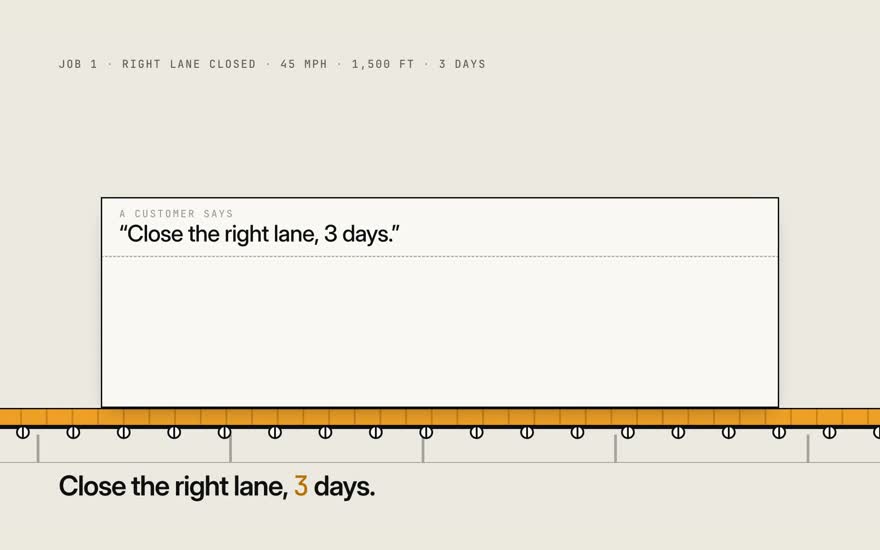
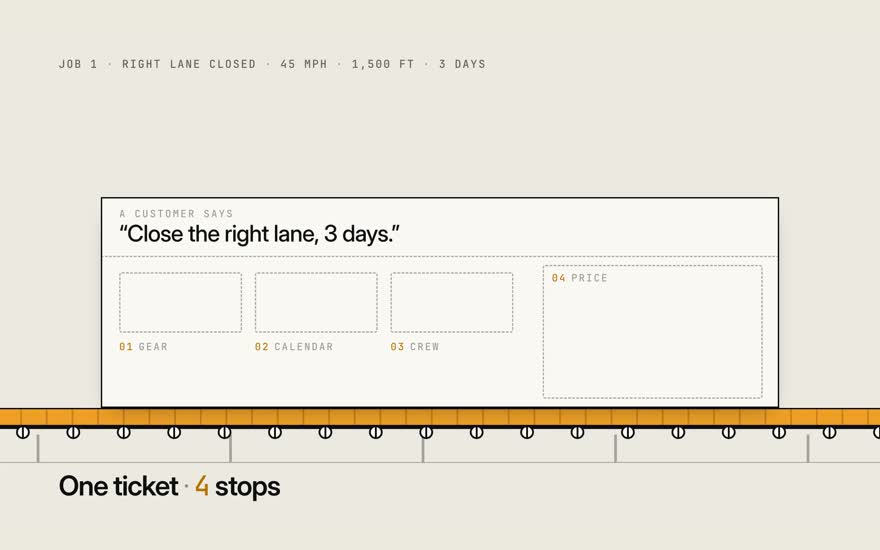
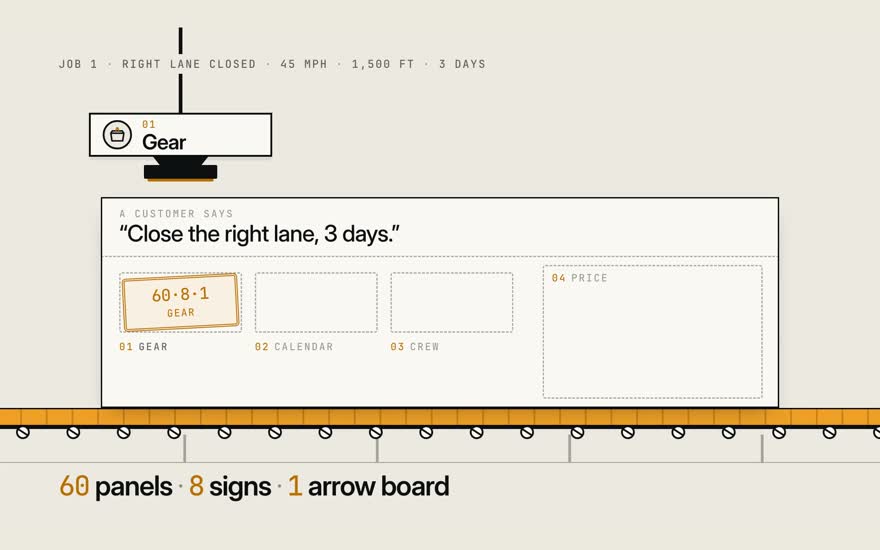
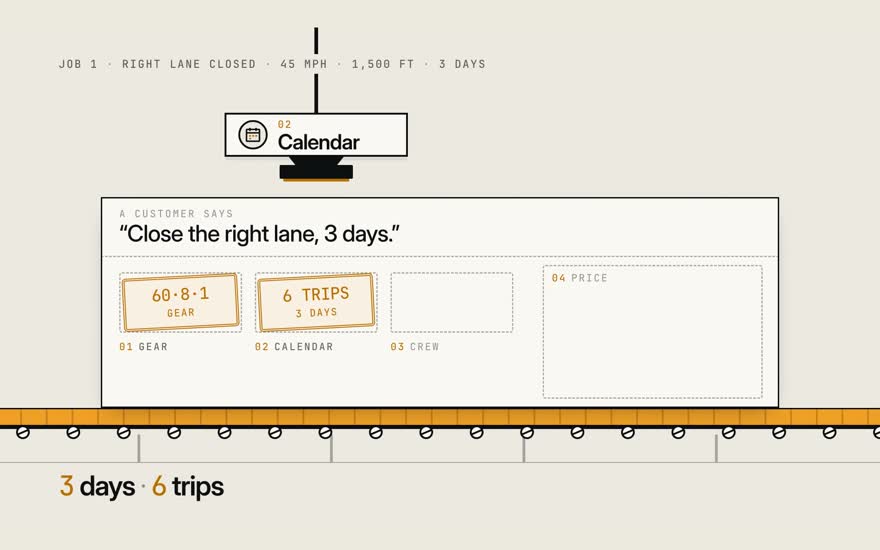
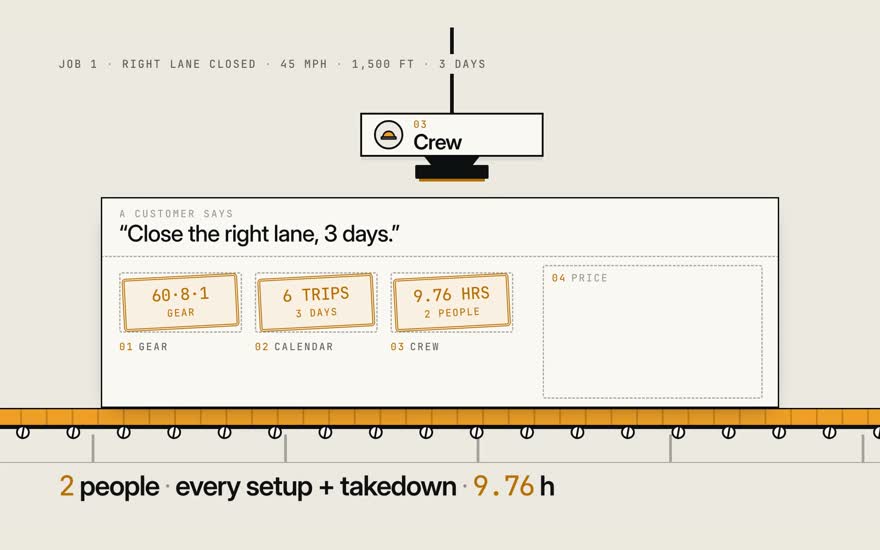
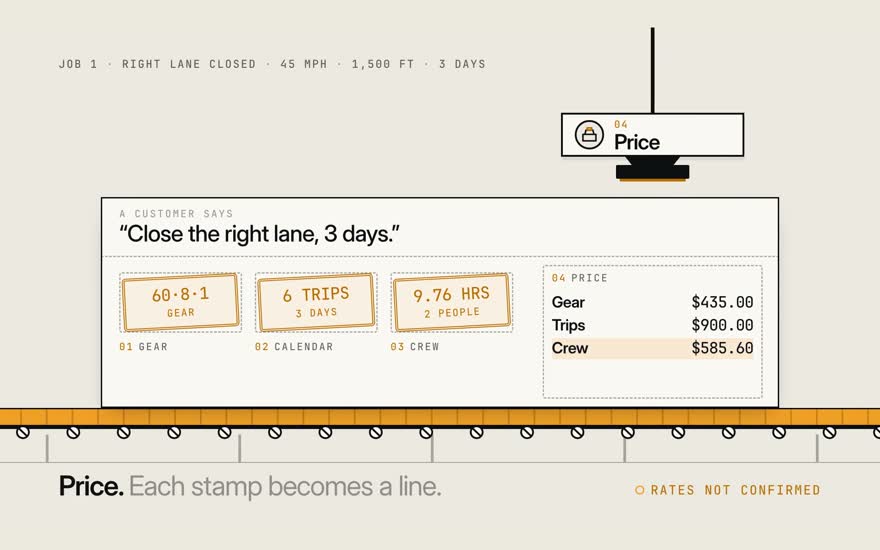
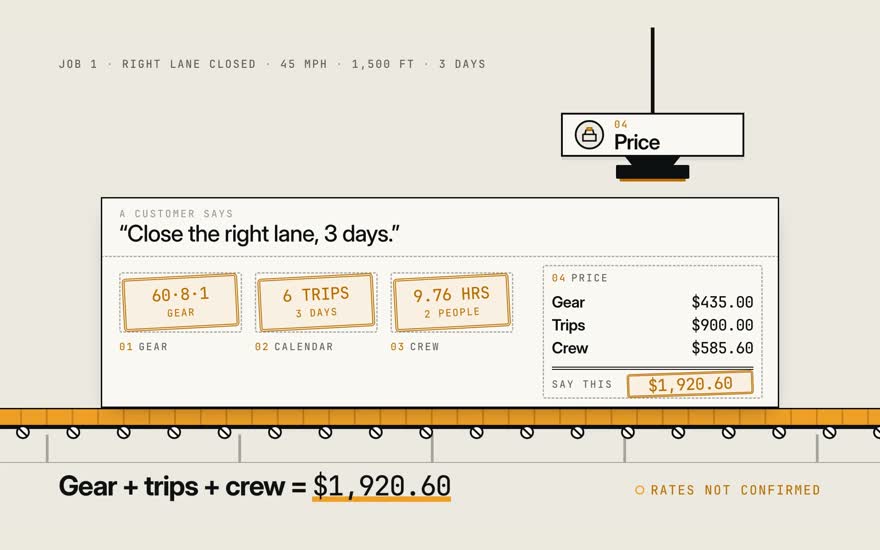
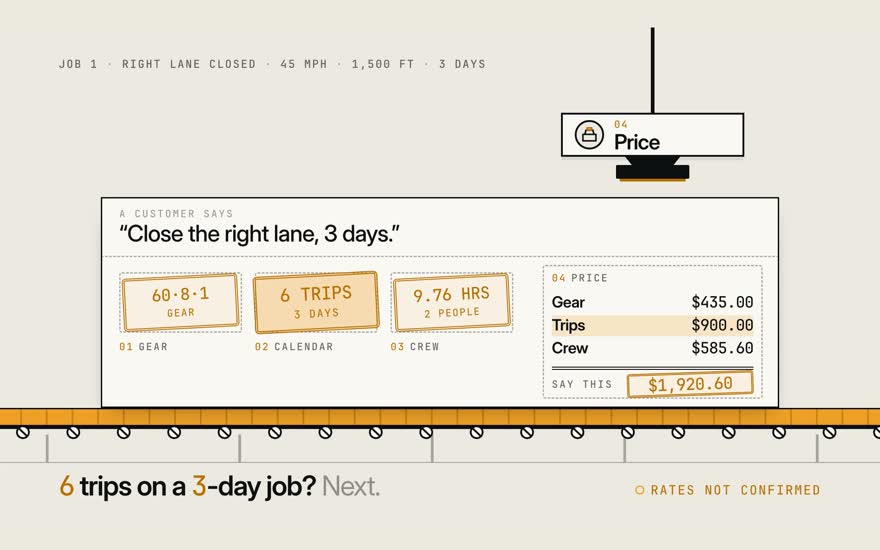
A customer says: close the right lane, 3 days. That becomes a ticket. It makes four stops. Stop one. Gear. 60 panels, 8 signs, 1 arrow board. Stop two. Calendar. 3 days, 6 trips. Stop three. Crew. 2 people, every setup and takedown. 9.76 hours. Stop four. Price. Each stamp becomes a line. Add them up. $1,920.60. 6 trips, on a 3-day job? That's next.

Stills · 8
  1. 01A customer says: close the right lane, 3 days.

  2. 02That becomes a ticket. It makes four stops.

  3. 03Stop one. Gear. 60 panels, 8 signs, 1 arrow board.

  4. 04Stop two. Calendar. 3 days, 6 trips.

  5. 05Stop three. Crew. 2 people, every setup and takedown. 9.76 hours.

  6. 06Stop four. Price. Each stamp becomes a line.

  7. 07Add them up. $1,920.60.

  8. 086 trips, on a 3-day job? That's next.

Film 2 · 1:01

Six trips

How many trips does a three-day job bill?

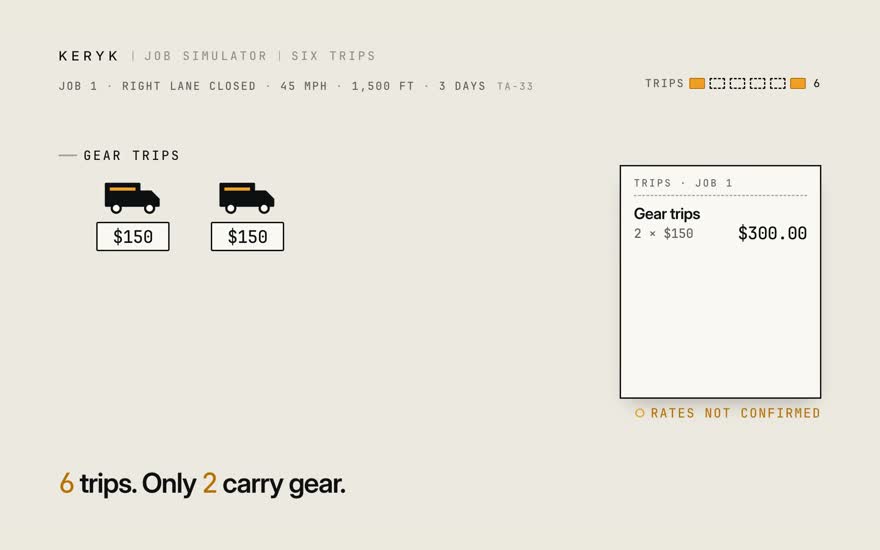
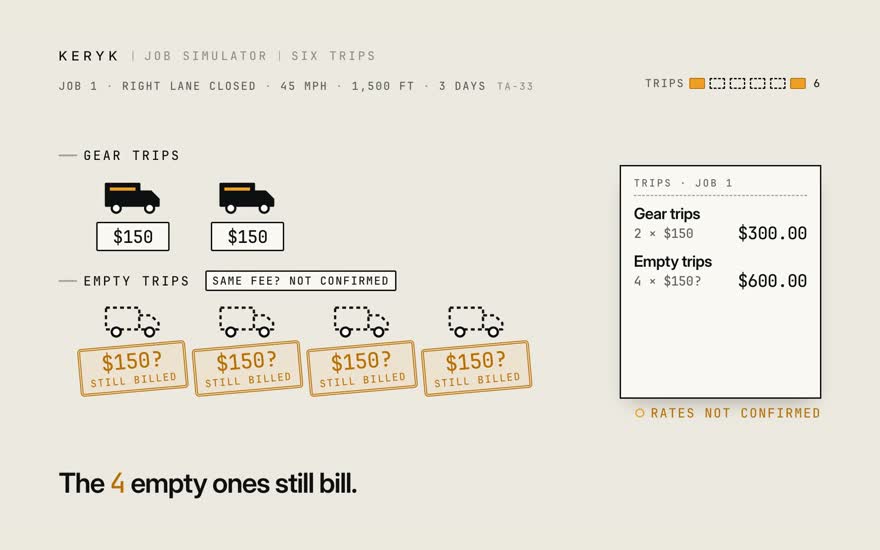
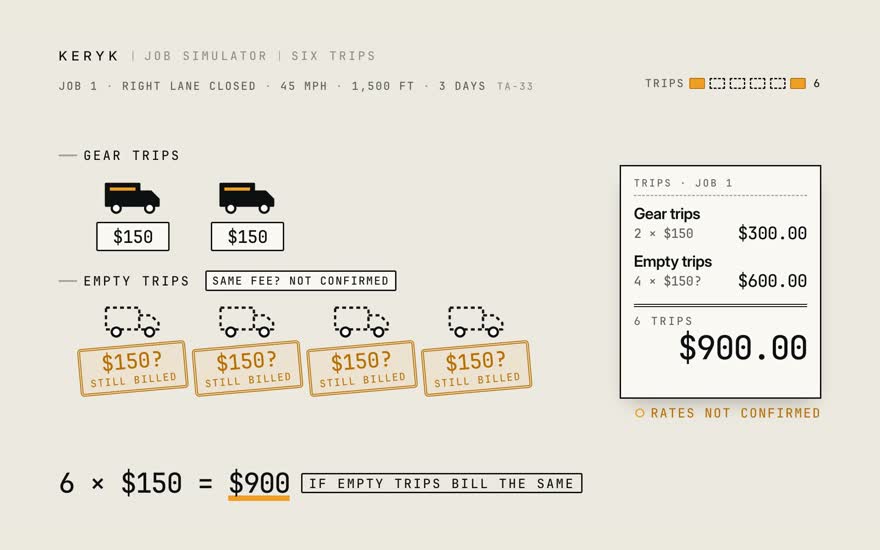
Gear stays overnight. Only two trips carry gear. Empty trips still bill.

Next: Type it, check it
Transcript

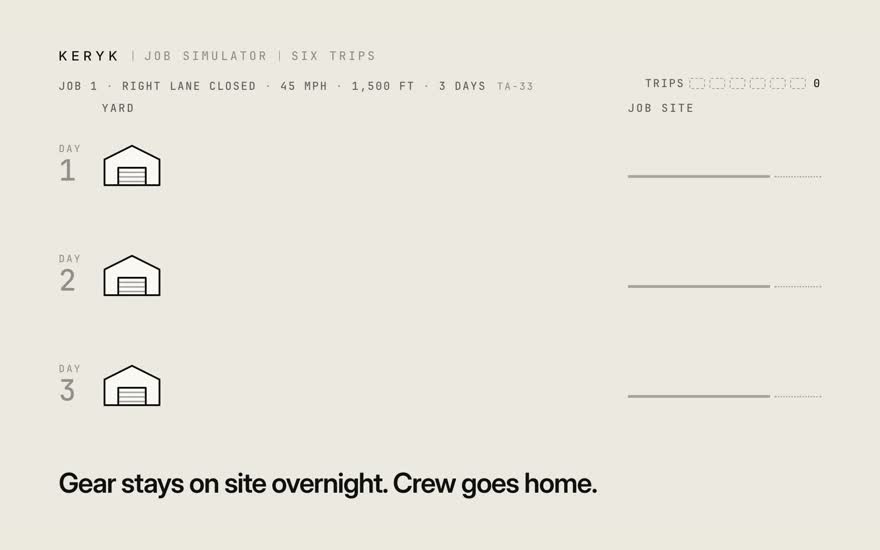
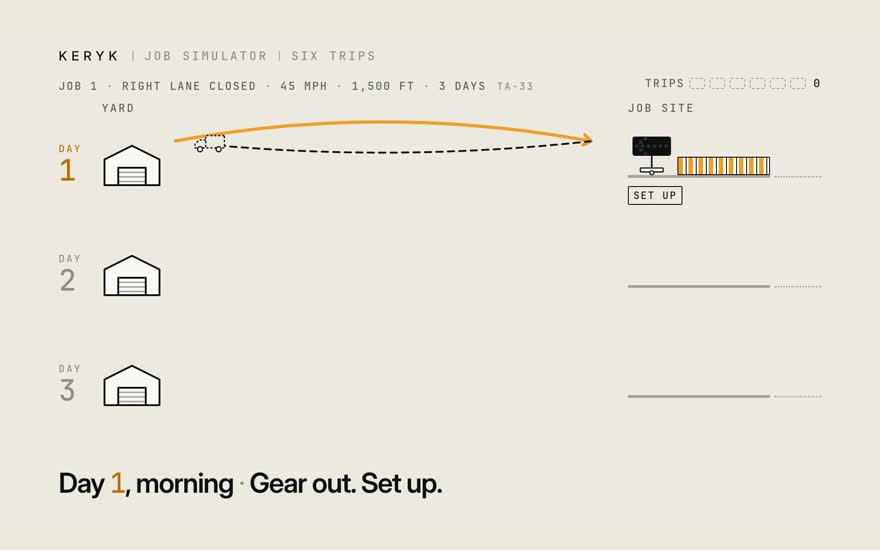
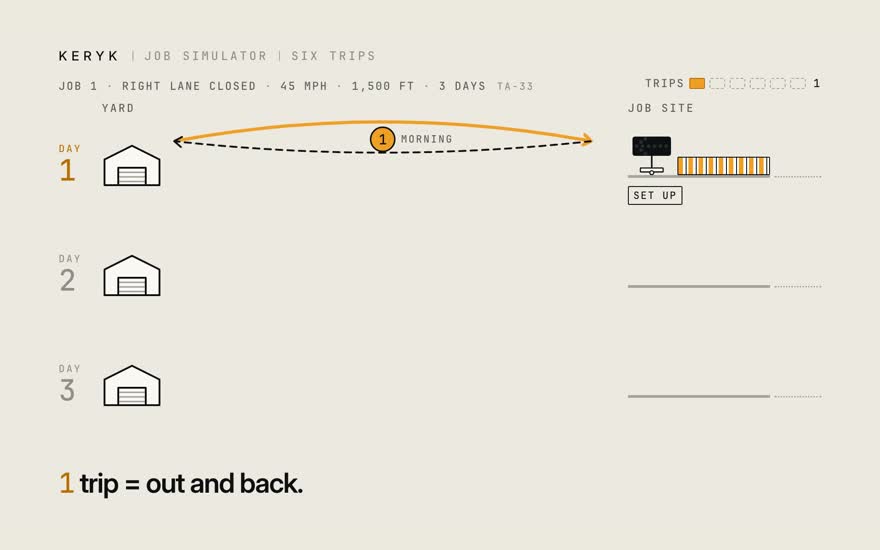
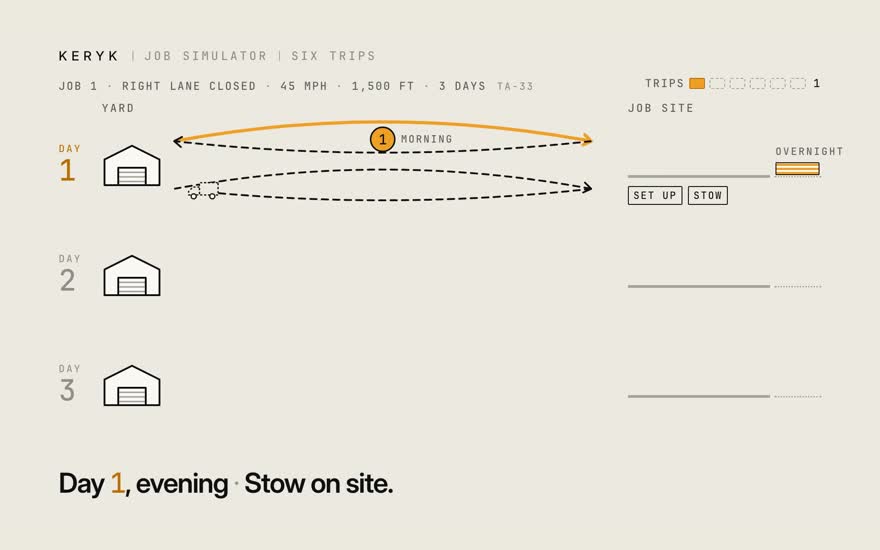
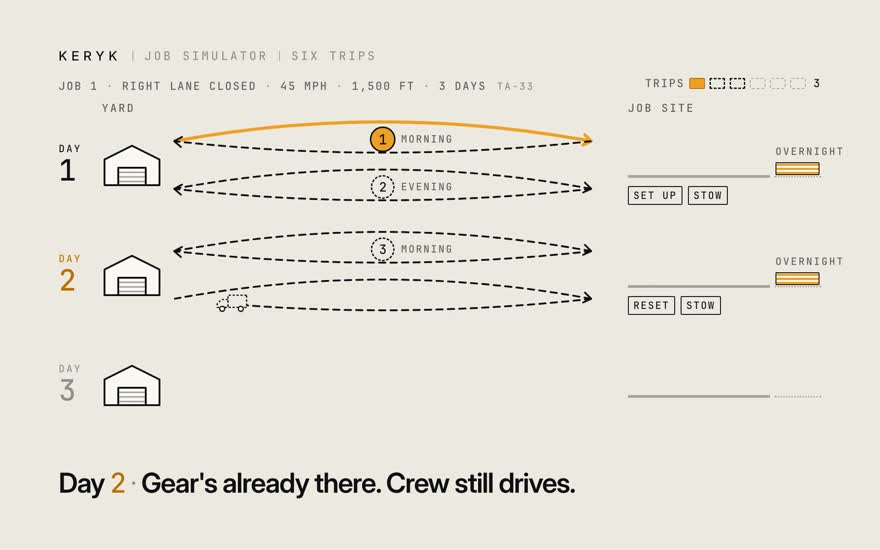
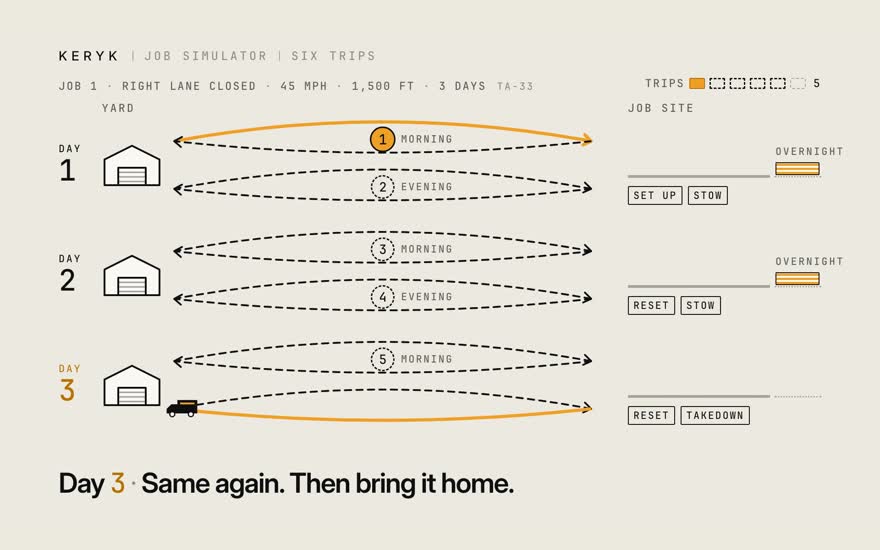
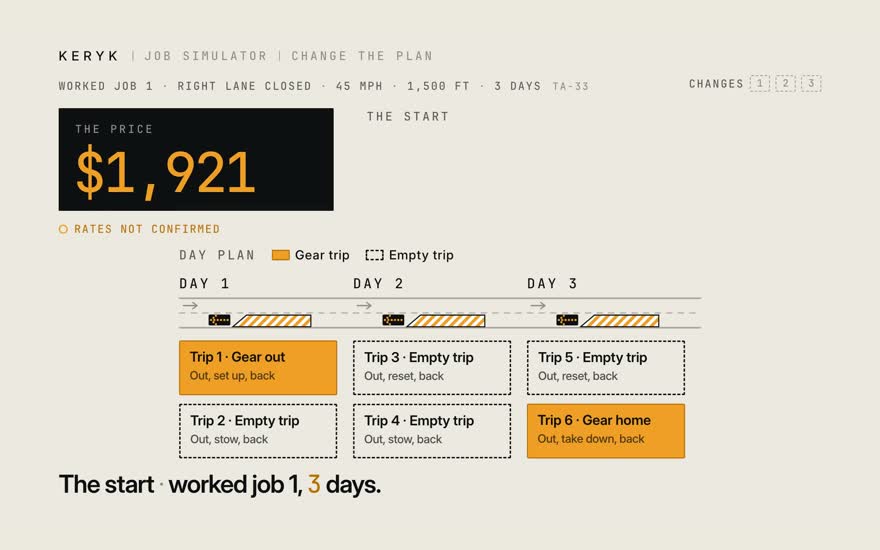
A three-day job. Say the gear stays on site overnight, and the crew goes home. Day one, morning. Take the gear out, set it up. That's one trip. Out, and back. Evening. Drive out, stow the gear. Day two. The gear's already there. The crew still drives out, twice. Day three. Same again. Then bring it all home. Six trips. Only two carry gear. The four empty ones still bill. For now, at the same fee. Six times a hundred fifty. Nine hundred dollars in trips.

Stills · 9
  1. 01A three-day job. Say the gear stays on site overnight, and the crew goes home.

  2. 02Day one, morning. Take the gear out, set it up.

  3. 03That's one trip. Out, and back.

  4. 04Evening. Drive out, stow the gear.

  5. 05Day two. The gear's already there. The crew still drives out, twice.

  6. 06Day three. Same again. Then bring it all home.

  7. 07Six trips. Only two carry gear.

  8. 08The four empty ones still bill. For now, at the same fee.

  9. 09Six times a hundred fifty. Nine hundred dollars in trips.

Film 3a · 1:00

Type it, check it

What do I type, and what do I check?

Two boxes in. Chips out. Check the guess, then say the price.

Next: When it asks, when it says no
Transcript

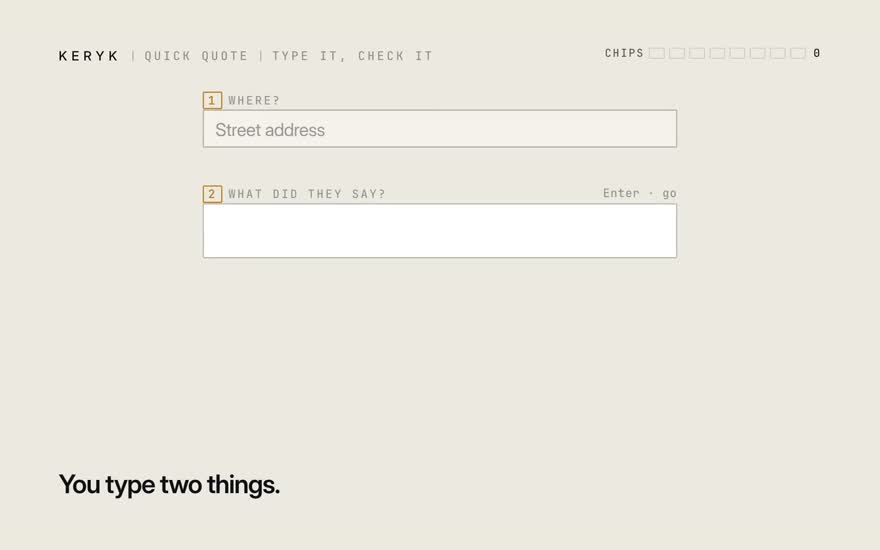
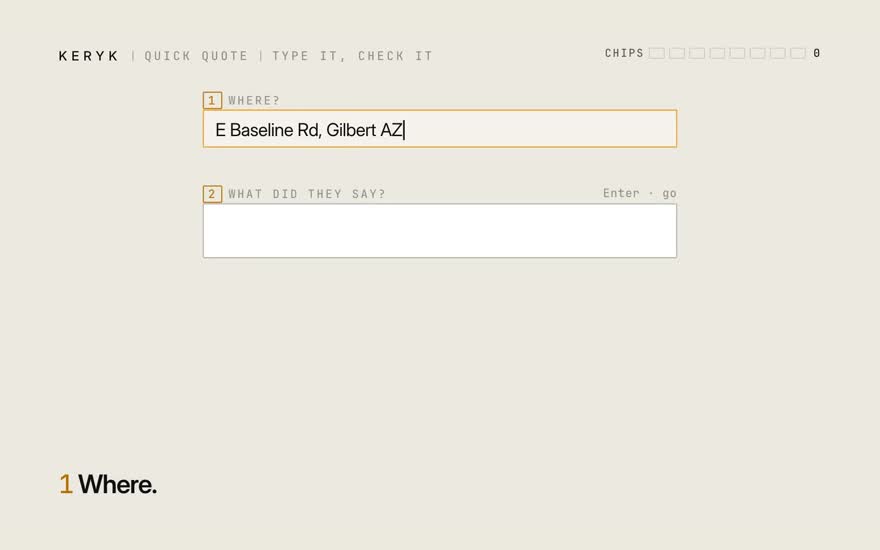
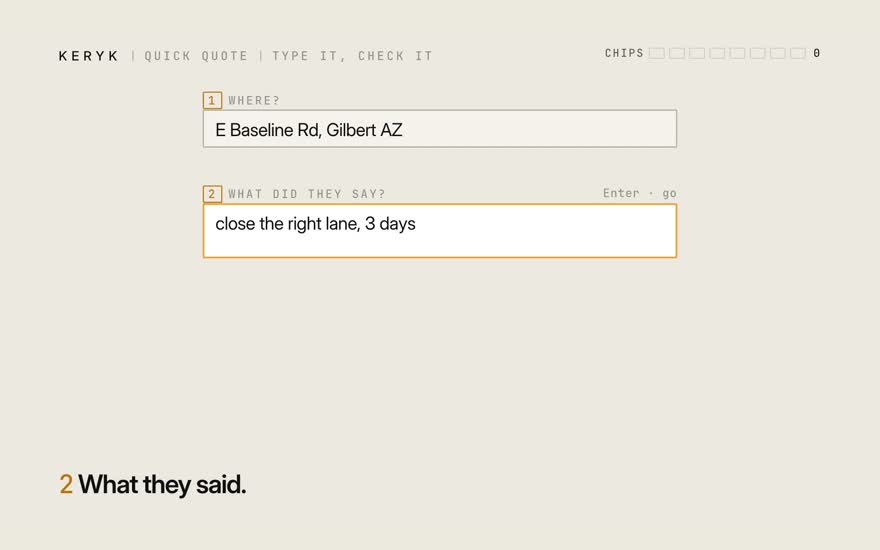
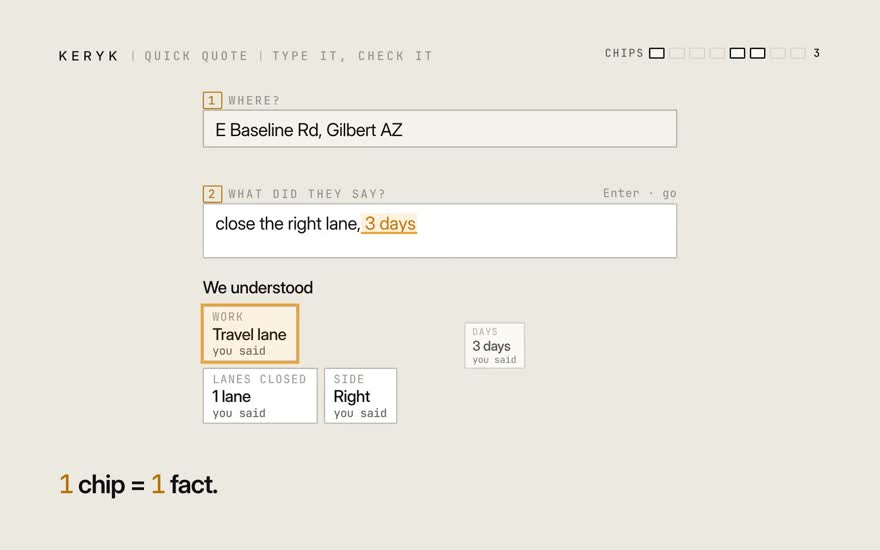
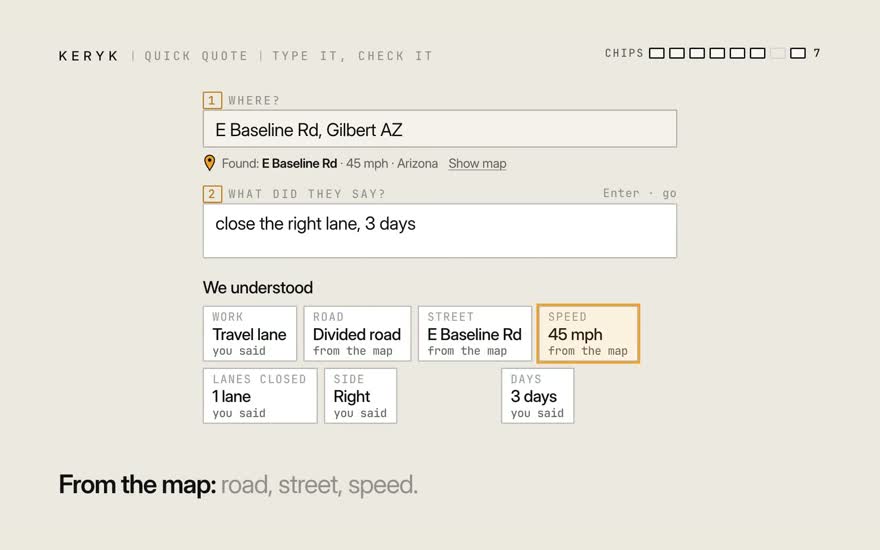
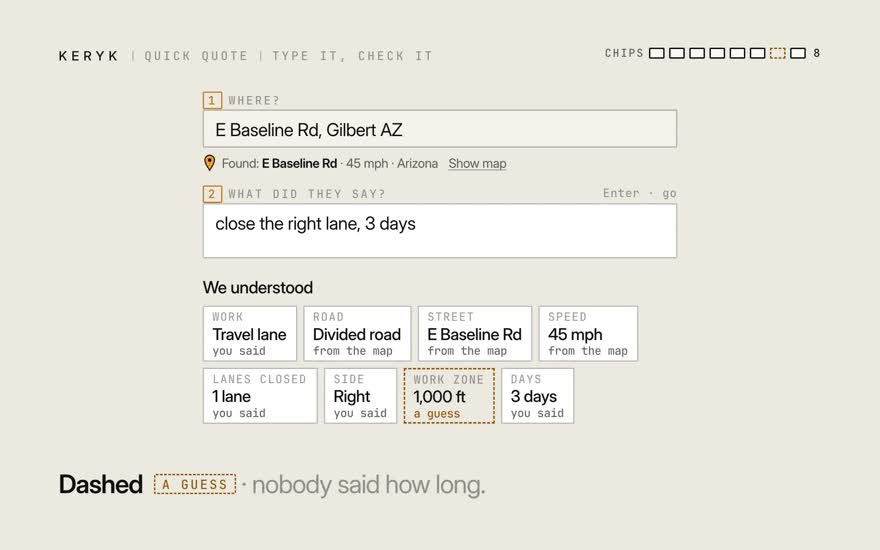
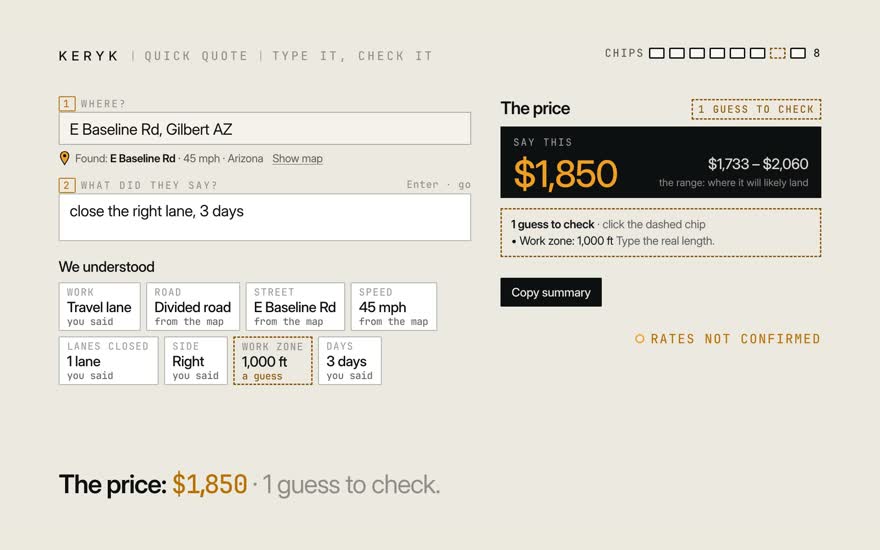
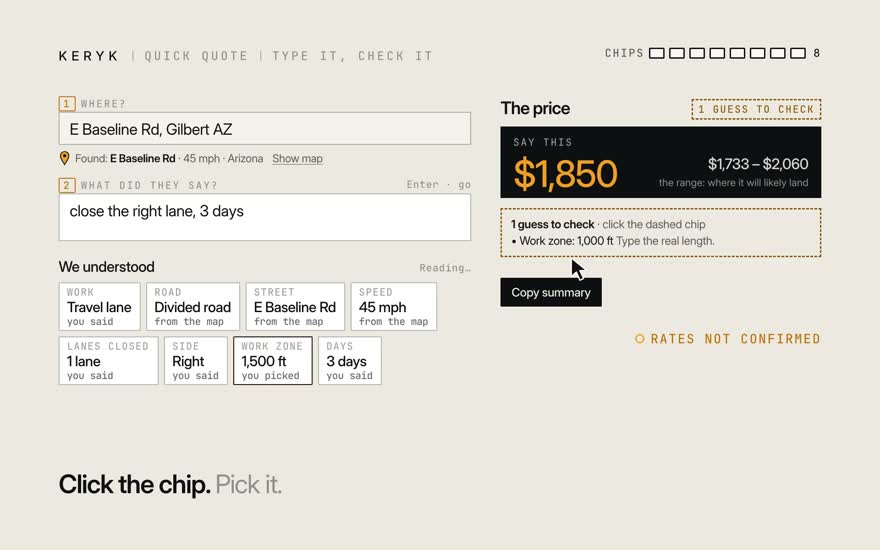
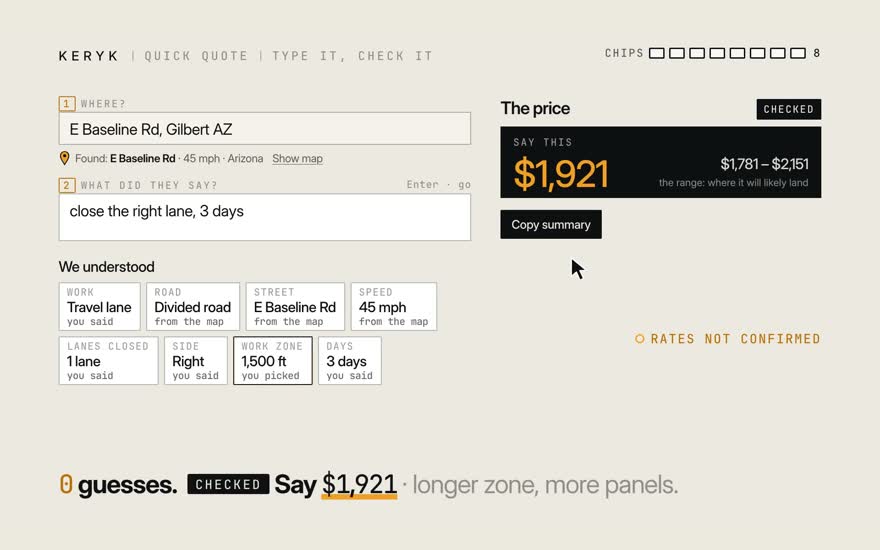
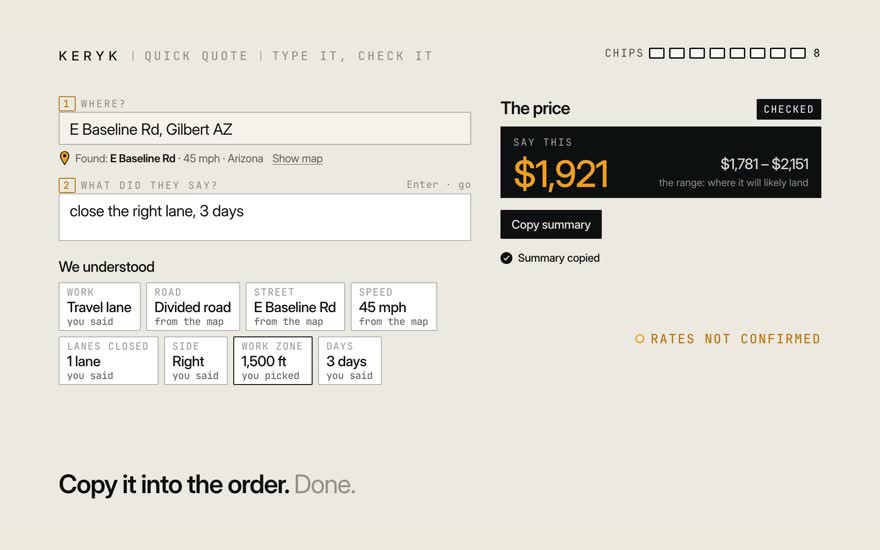
A customer calls. You type two things. Where. E Baseline Rd, Gilbert. And what they said. Close the right lane, 3 days. The words become chips. One chip, one fact. The map adds the rest. Road, street, speed. One chip is dashed. That's a guess. Nobody said how long. You still get a price. $1,850, with 1 guess to check. So ask how long. 1,500 feet. Click the chip, pick it. No guesses left. It's checked. Now say $1,921. Copy it into the order. Done.

Stills · 10
  1. 01A customer calls. You type two things.

  2. 02Where. E Baseline Rd, Gilbert.

  3. 03And what they said. Close the right lane, 3 days.

  4. 04The words become chips. One chip, one fact.

  5. 05The map adds the rest. Road, street, speed.

  6. 06One chip is dashed. That's a guess. Nobody said how long.

  7. 07You still get a price. $1,850, with 1 guess to check.

  8. 08So ask how long. 1,500 feet. Click the chip, pick it.

  9. 09No guesses left. It's checked. Now say $1,921.

  10. 10Copy it into the order. Done.

Film 3b · 0:57

When it asks, when it says no

What if it can't price the job?

It asks about the road, or says no plainly. Then you still get a number to work from.

Next: Try it: the asks demo
Transcript

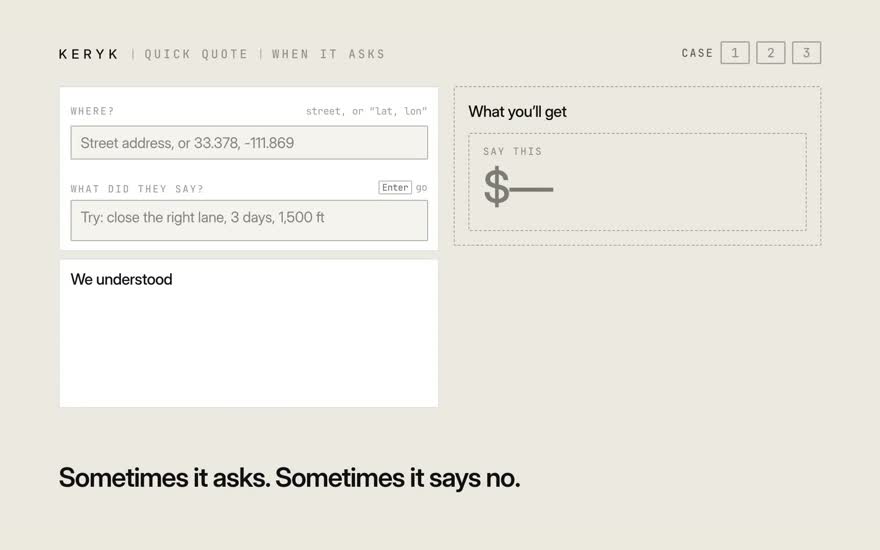
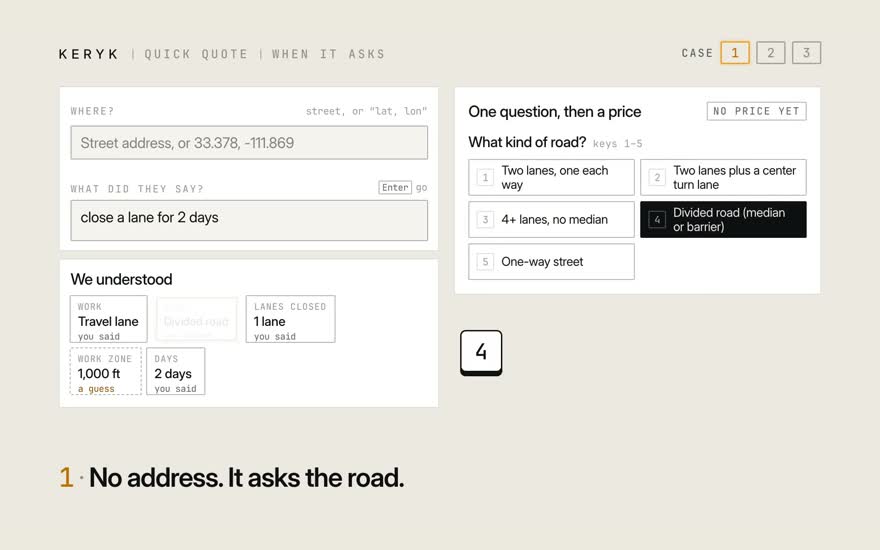
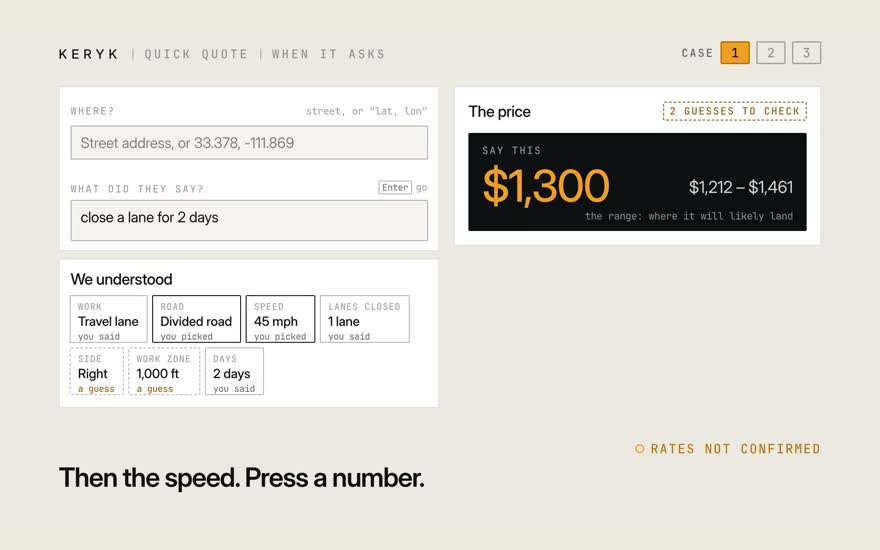
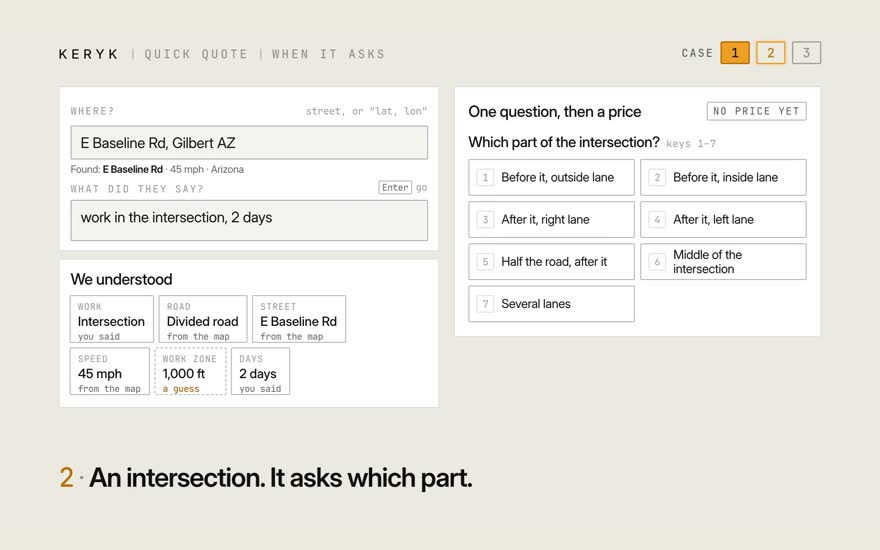
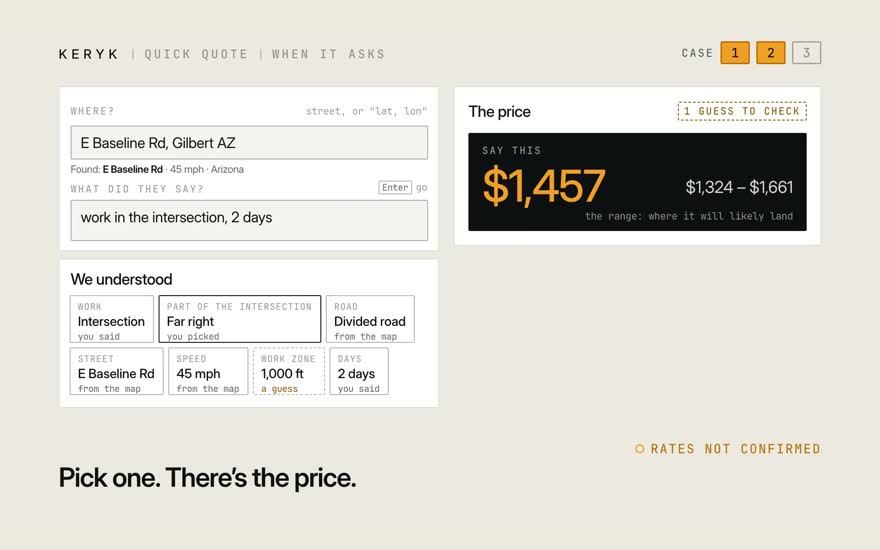
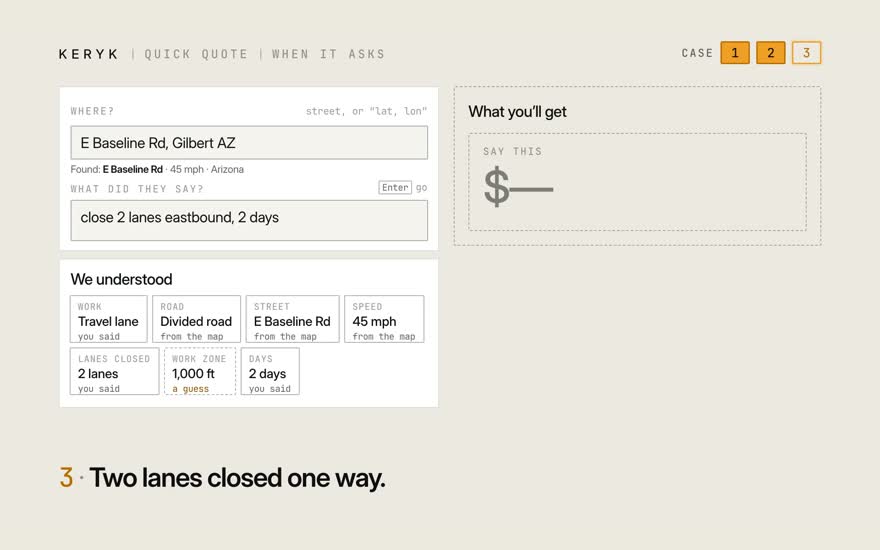
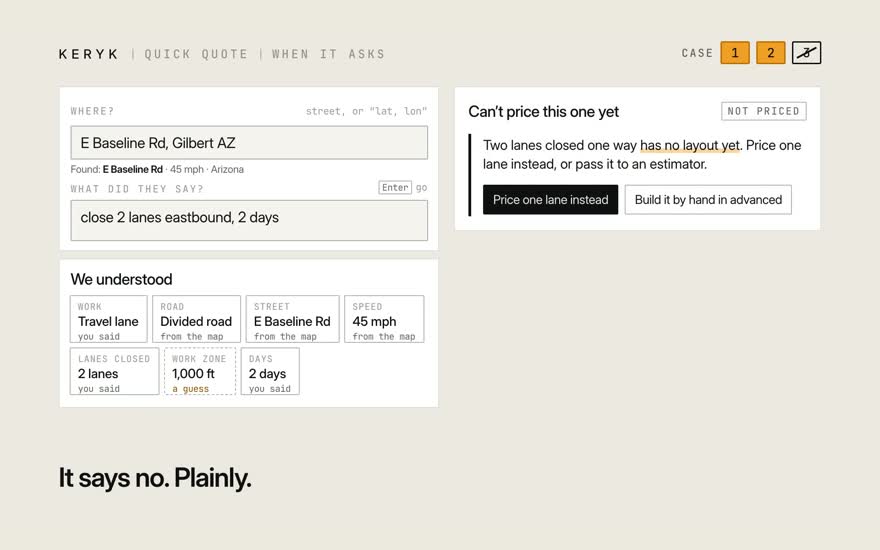
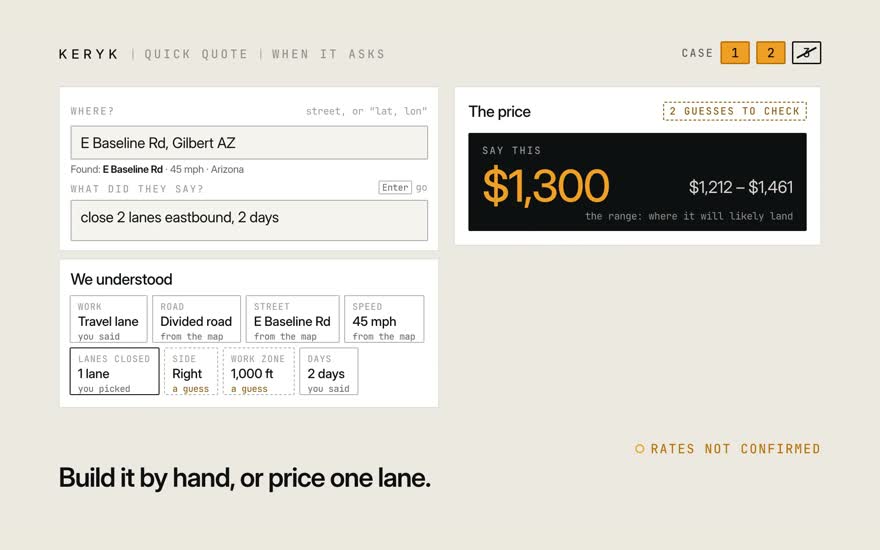
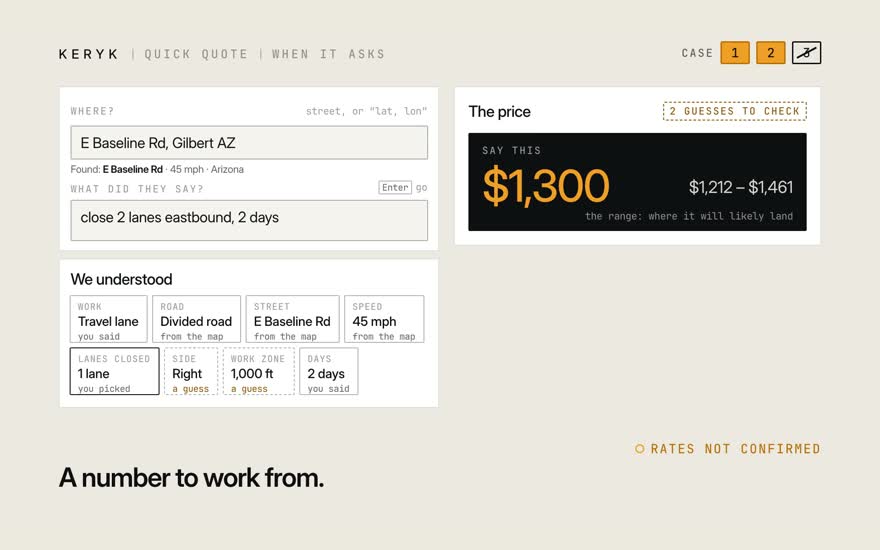
Sometimes it asks first. Sometimes it says no. Three cases. One. No address. So it asks what kind of road. Then the speed. Press a number, and there's a price. Two. Work in an intersection. It asks which part. Pick one, and the price shows up. Three. Two lanes closed one way. It says no, plainly. It won't quietly price one lane instead. Build it by hand. Or click Price one lane instead. Now you have a number to work from.

Stills · 9
  1. 01Sometimes it asks first. Sometimes it says no. Three cases.

  2. 02One. No address. So it asks what kind of road.

  3. 03Then the speed. Press a number, and there's a price.

  4. 04Two. Work in an intersection. It asks which part.

  5. 05Pick one, and the price shows up.

  6. 06Three. Two lanes closed one way.

  7. 07It says no, plainly. It won't quietly price one lane instead.

  8. 08Build it by hand. Or click Price one lane instead.

  9. 09Now you have a number to work from.

Try it

Cheat sheet

You seeDo this
A big numberSay it. That’s the price.
A dashed chipIt’s a guess. Click it. Fix it.
Buttons with a questionPick one, or press its number.
“Can’t price this one yet”Click Price one lane instead, or pass it to an estimator.
“Checked”Copy the summary into the order.

Next track: I estimate

Track 2 · I estimate

Is this number safe to say? What happens when the job changes?

Film 4 · 0:49 · start here

Read the answer

Which number do I say, and is it safe to say?

The price, the range, and the guess to check.

Next: The range is a rope
Transcript

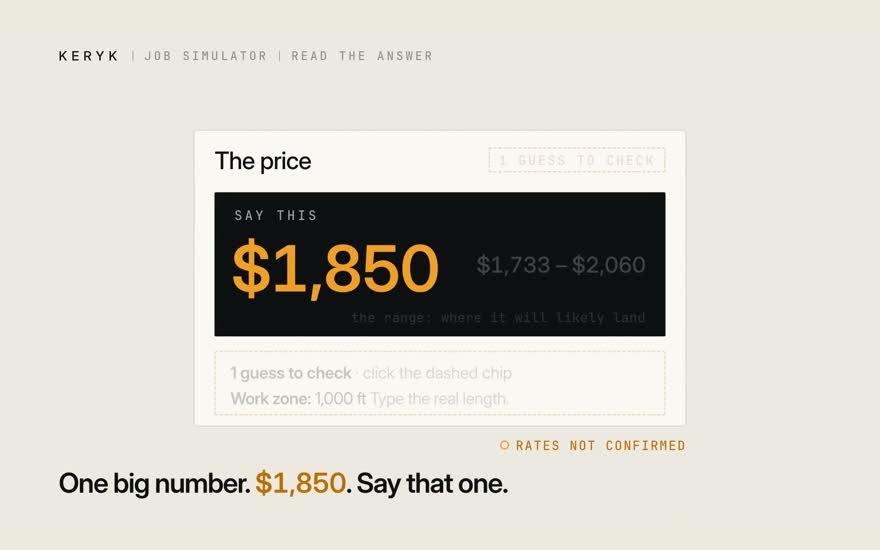
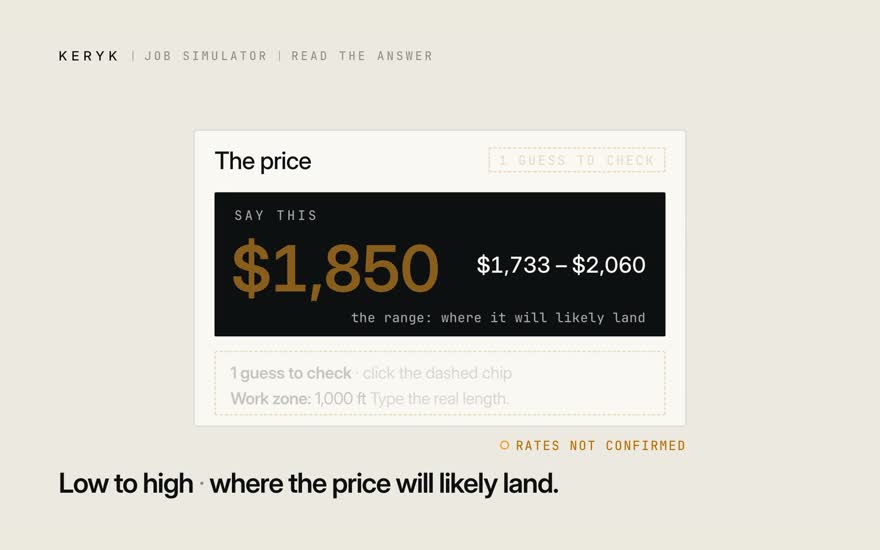
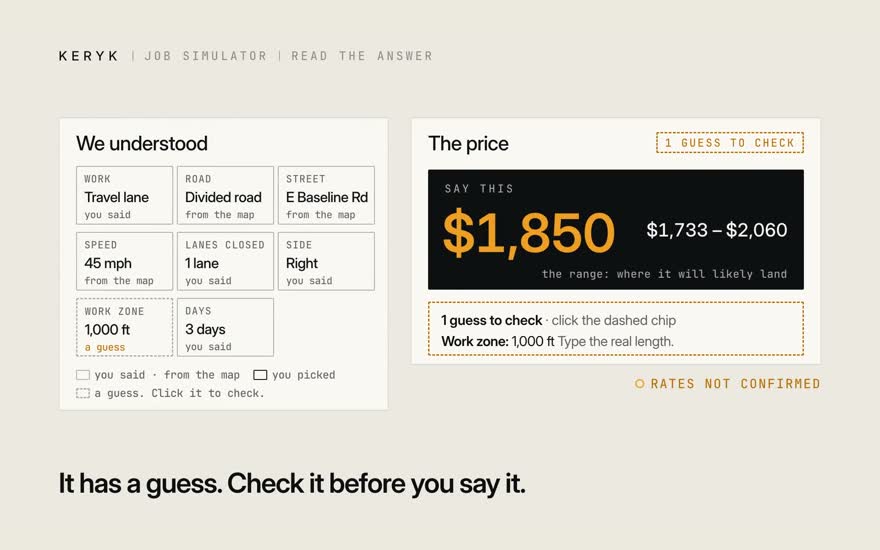
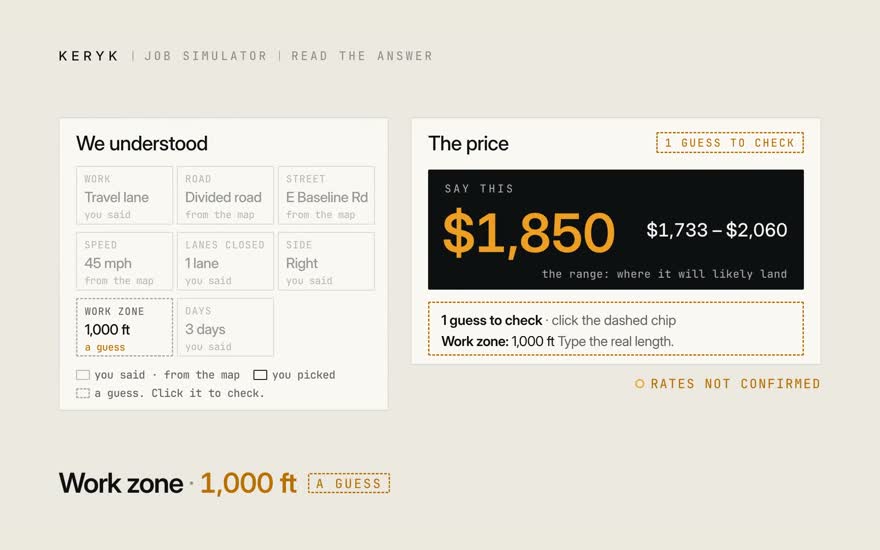
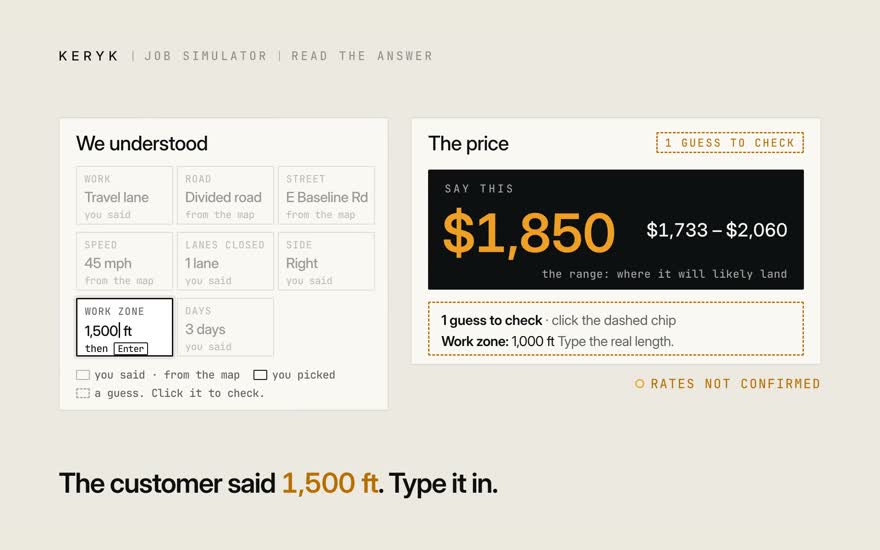
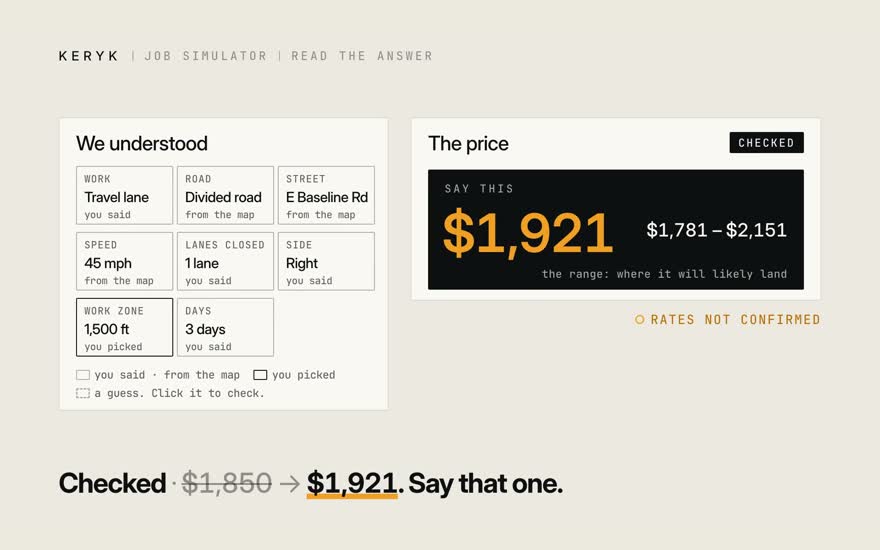
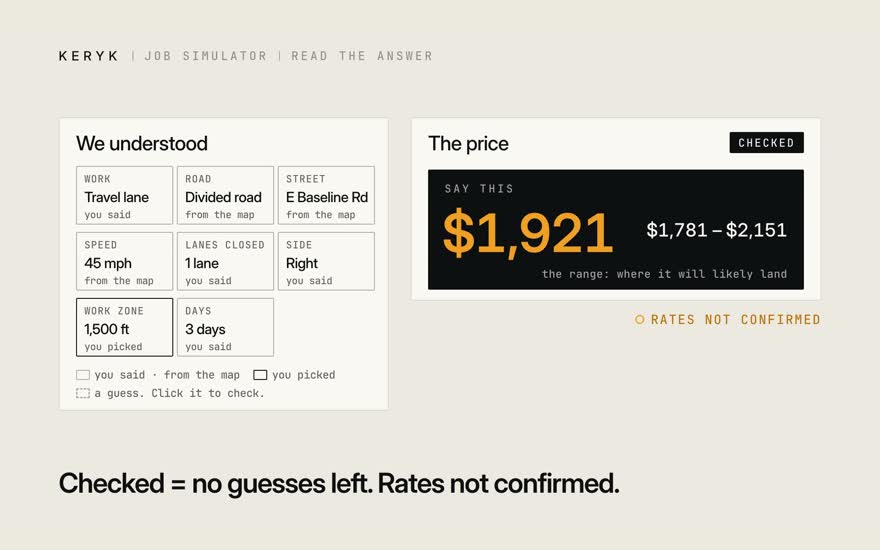
A quote has one big number. $1,850. Say that one. Beside it, low to high. Where the price will likely land. But this one has a guess. Check it before you say it. Here. The work zone. It guessed 1,000 feet. The customer said 1,500. Type it in. Now it's checked. $1,921. Say that one. Checked means no guesses left. The rates are still not confirmed.

Stills · 7
  1. 01A quote has one big number. $1,850. Say that one.

  2. 02Beside it, low to high. Where the price will likely land.

  3. 03But this one has a guess. Check it before you say it.

  4. 04Here. The work zone. It guessed 1,000 feet.

  5. 05The customer said 1,500. Type it in.

  6. 06Now it's checked. $1,921. Say that one.

  7. 07Checked means no guesses left. The rates are still not confirmed.

Film 5 · 0:54

The range is a rope

How far could this price move?

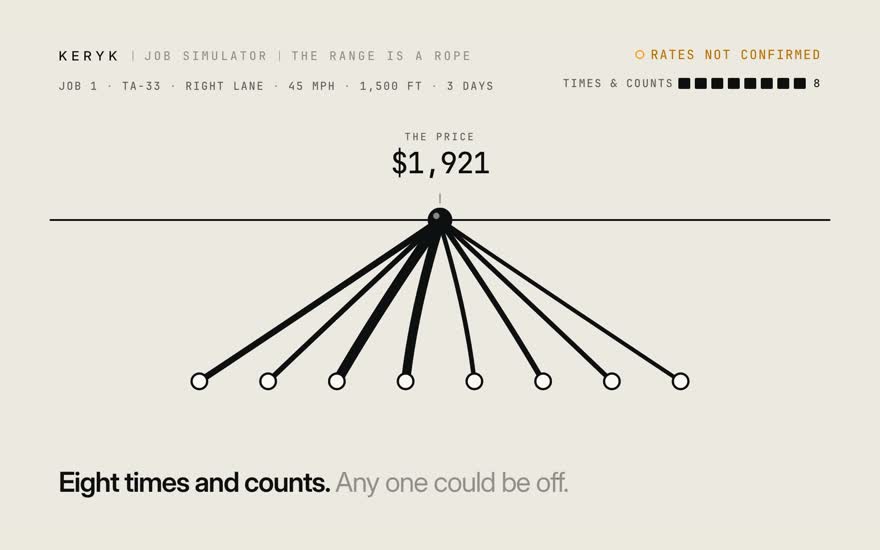
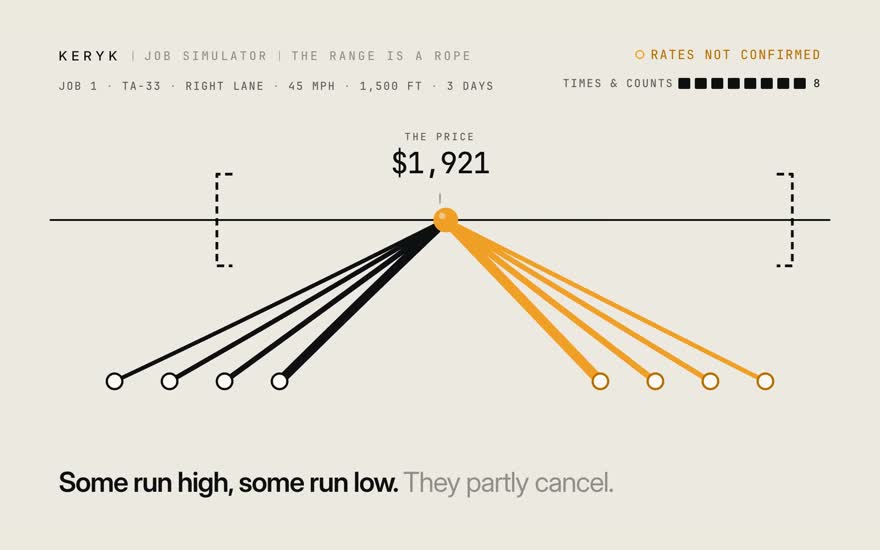
Eight guesses pull on the price. They partly cancel.

Next: Change the plan
Transcript

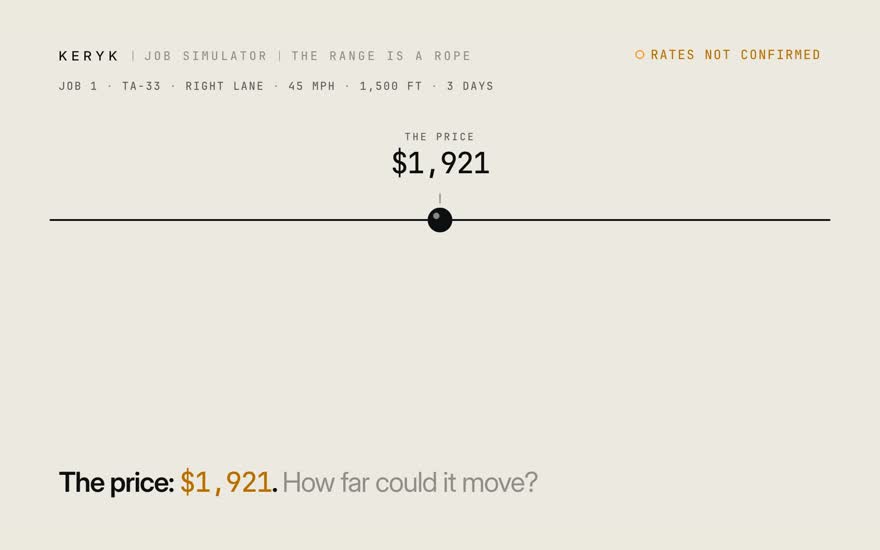
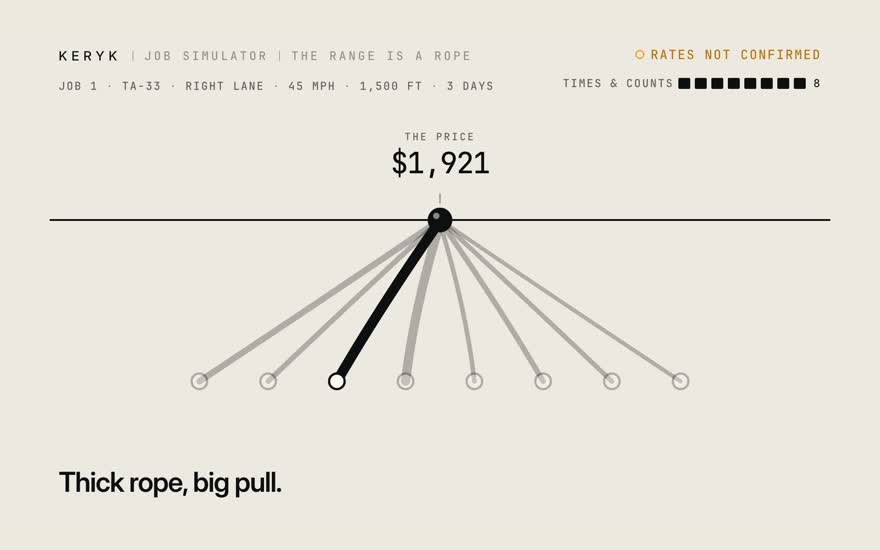
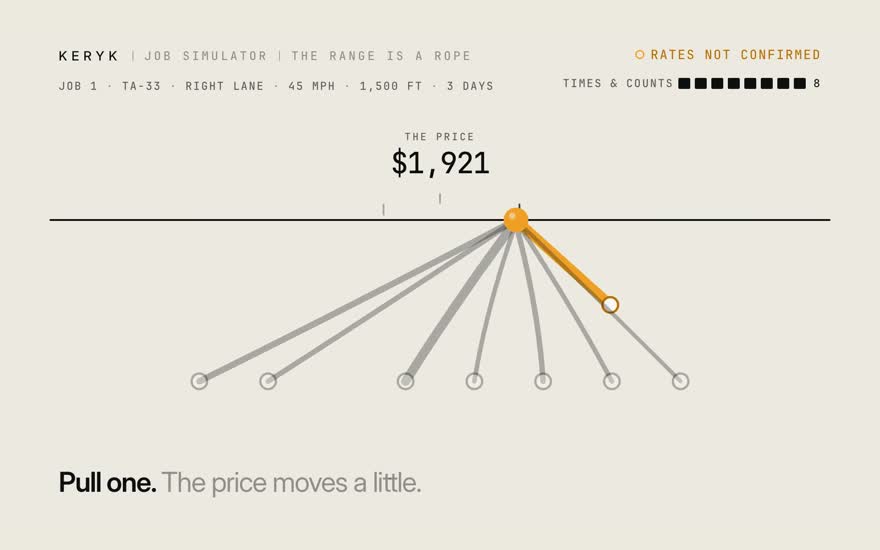
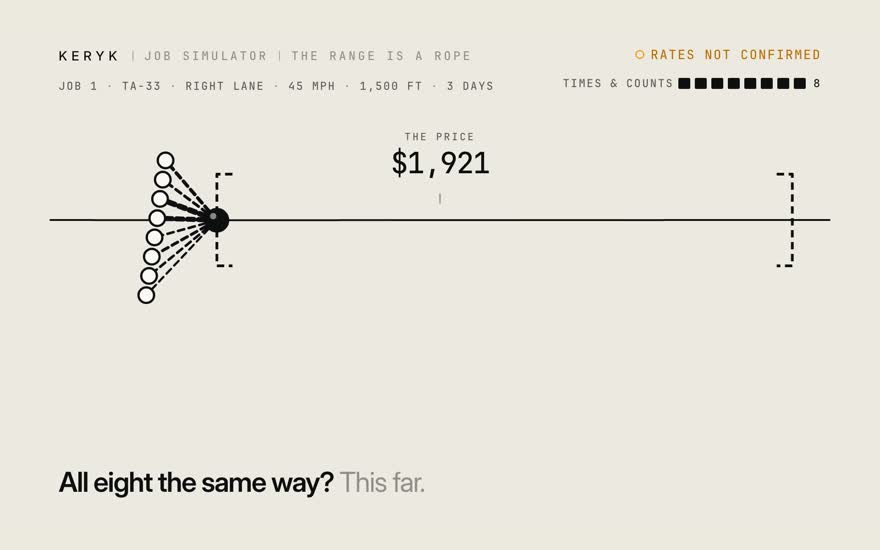
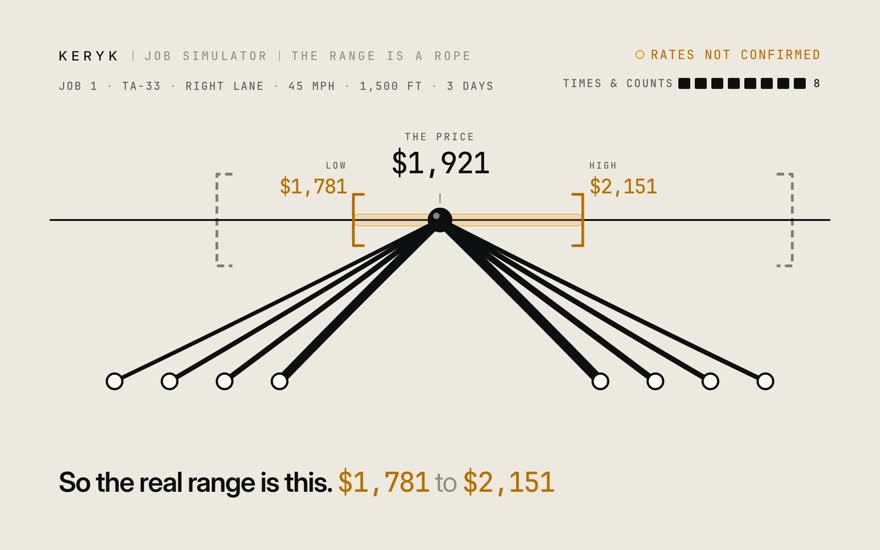
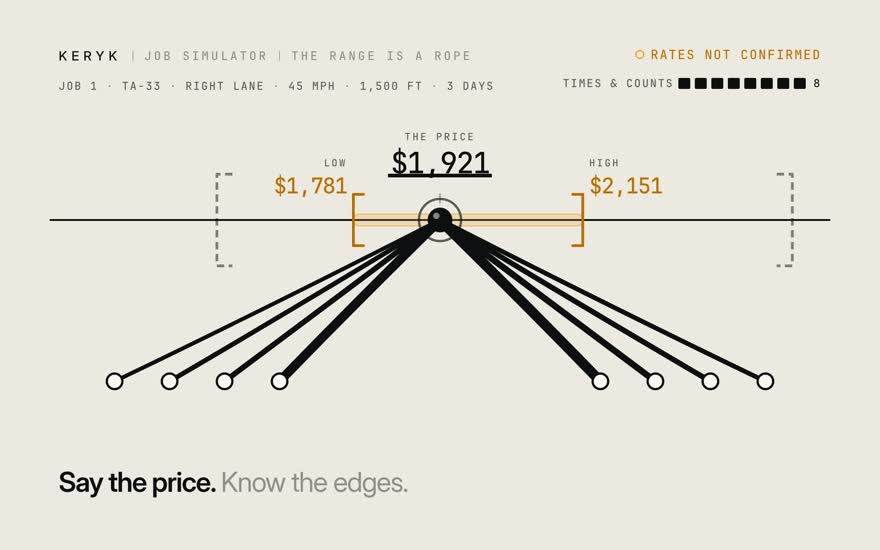
The price: $1,921. How far could it move? It hangs on eight times and counts. Any one could be off. Thick rope, big pull. Pull one. The price moves a little. If all eight went wrong the same way, it would swing this far. They rarely do. Some run high, some run low. They partly cancel. So the real range is this. $1,781 to $2,151. Say the price. Know the edges.

Stills · 8
  1. 01The price: $1,921. How far could it move?

  2. 02It hangs on eight times and counts. Any one could be off.

  3. 03Thick rope, big pull.

  4. 04Pull one. The price moves a little.

  5. 05If all eight went wrong the same way, it would swing this far.

  6. 06They rarely do. Some run high, some run low. They partly cancel.

  7. 07So the real range is this. $1,781 to $2,151.

  8. 08Say the price. Know the edges.

Film 6 · 1:10

Change the plan

What happens to the price when the job changes?

More days. Gear left standing. A zone that moves.

Next: Try it: the read-a-quote demo
Transcript

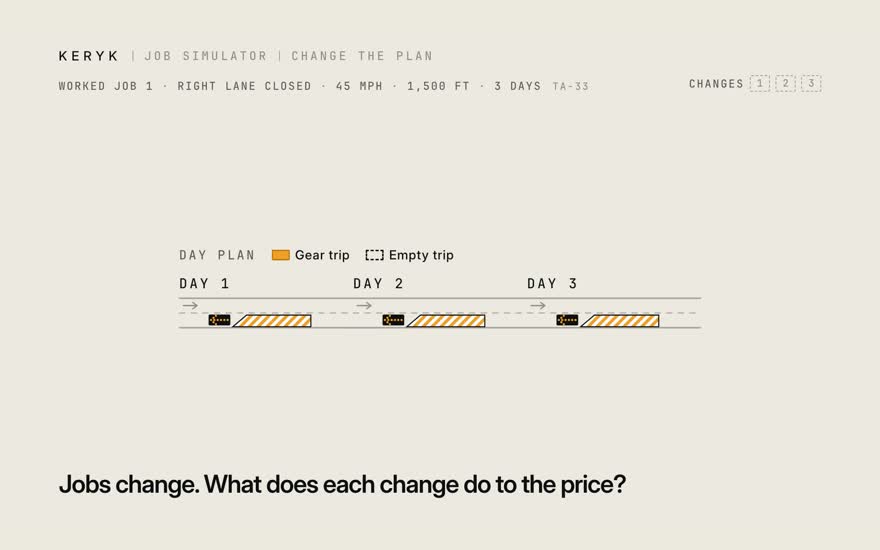
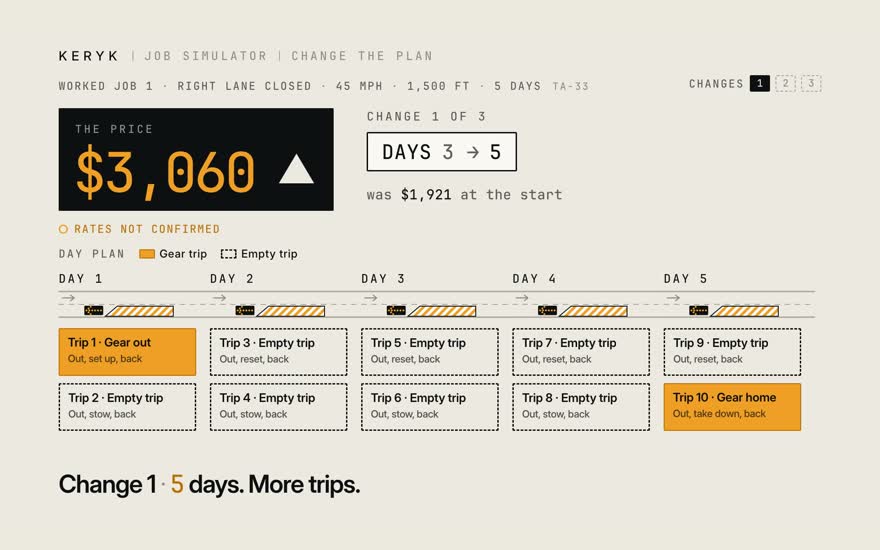
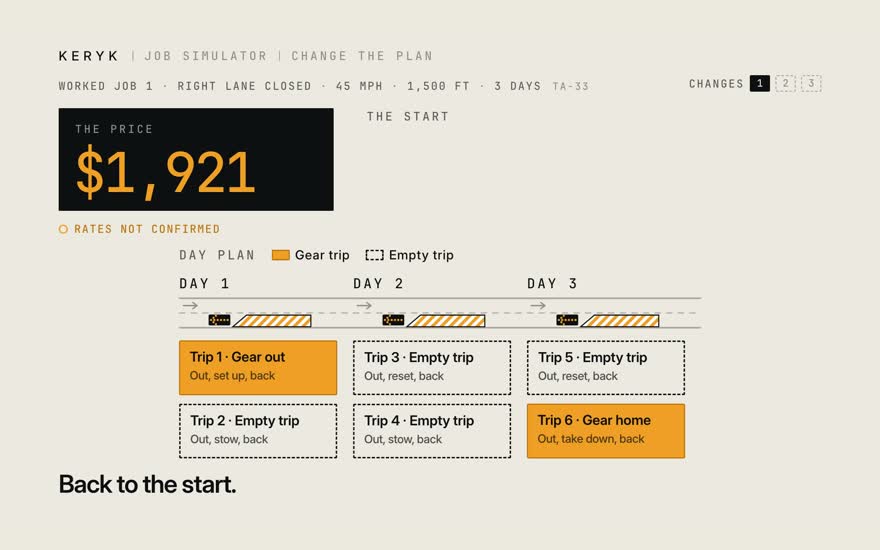
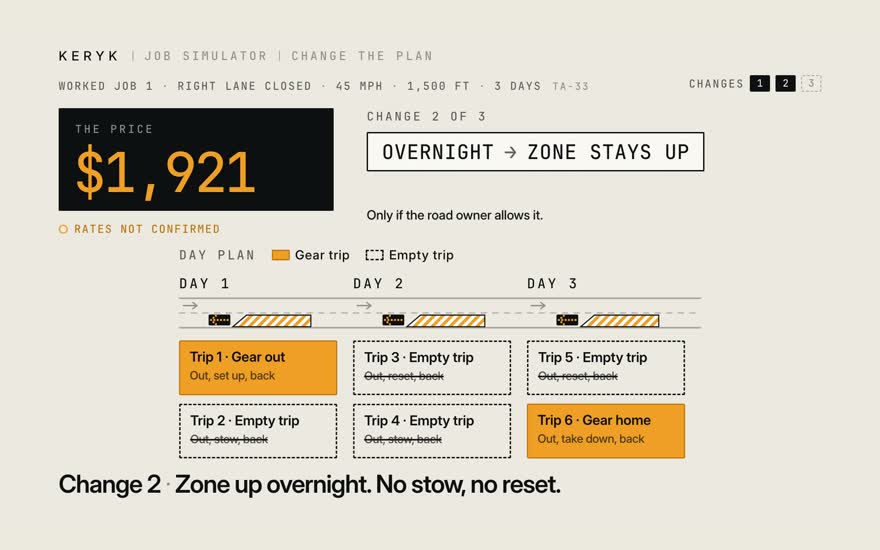
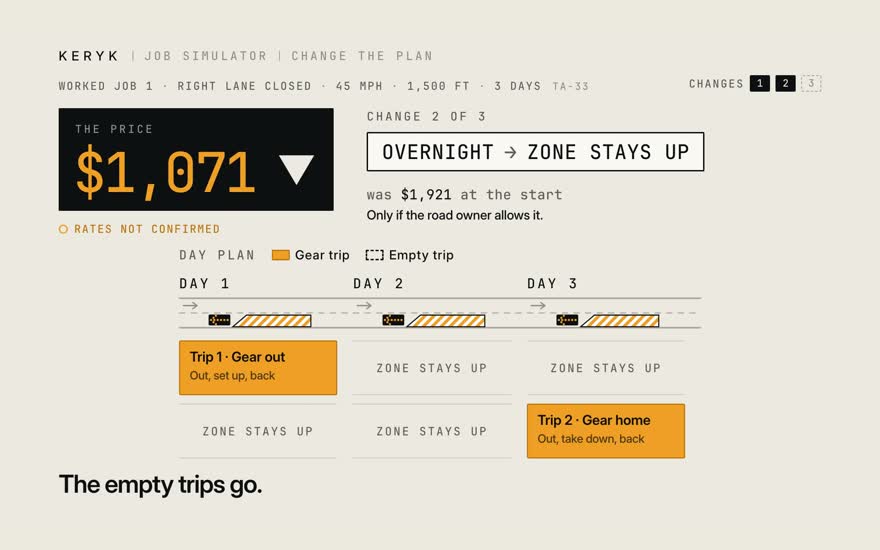
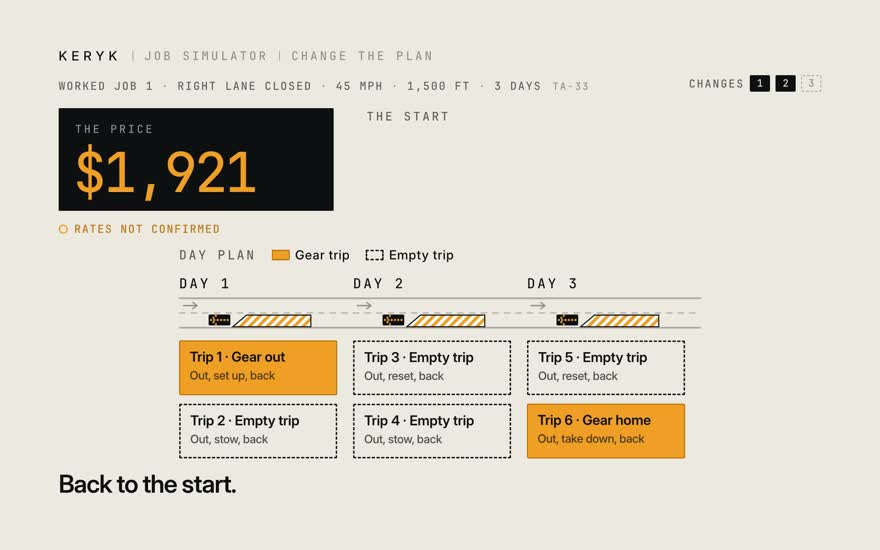
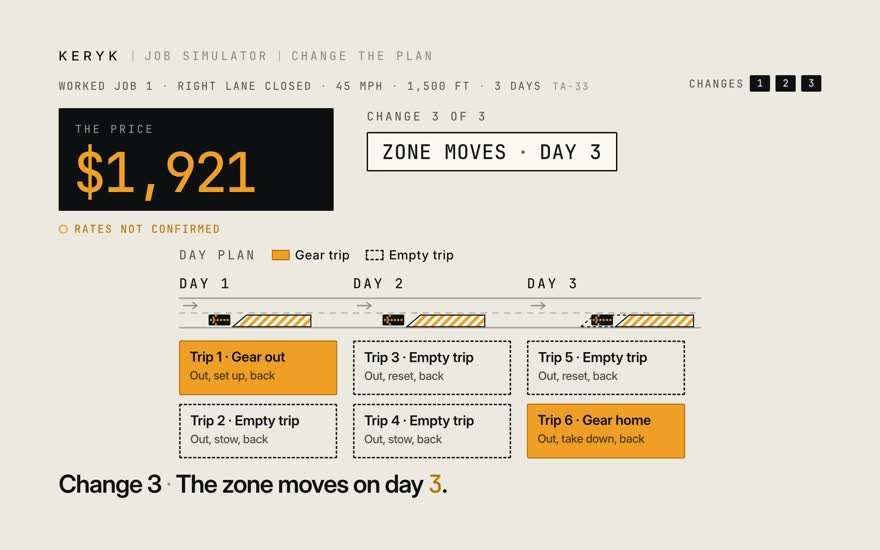
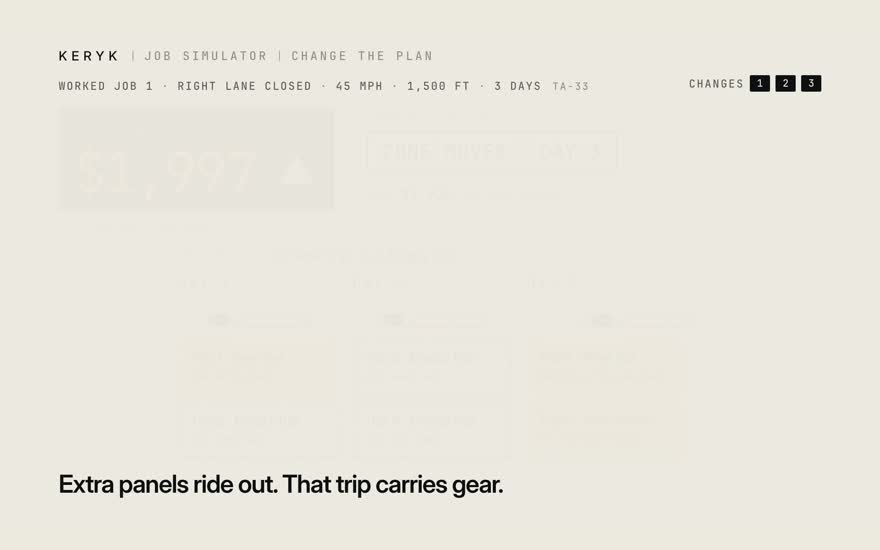
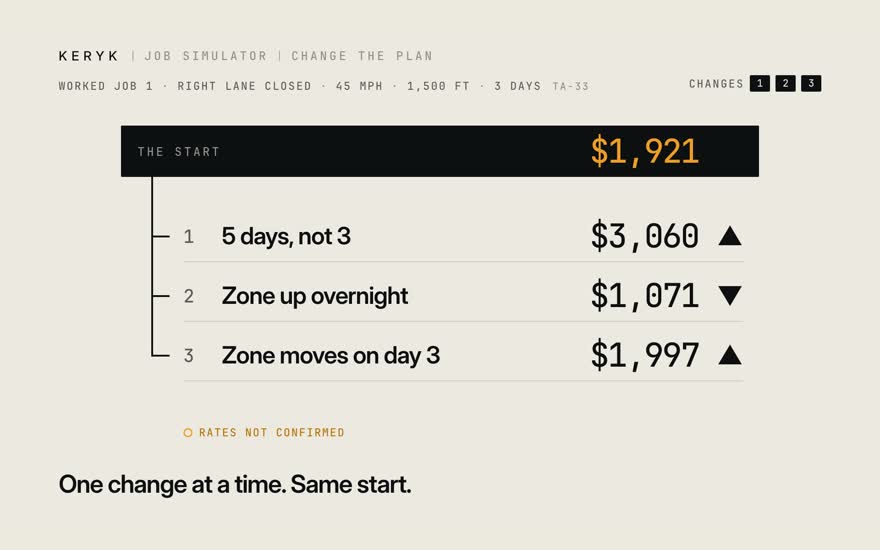
Jobs change. What does each change do to the price? The start: worked job 1. Three days. $1,921. Change one. Five days, not three. More days, more trips. $3,060. Back to the start. $1,921. Change two. Leave the zone up overnight. No stow, no reset. Remember the empty trips? They go. $1,071. Back to the start. Change three. The zone moves down the road on day three. Extra panels ride out that morning. That trip carries gear now. $1,997. One change at a time, from the same start. You see what each one does.

Stills · 10
  1. 01Jobs change. What does each change do to the price?

  2. 02The start: worked job 1. Three days. $1,921.

  3. 03Change one. Five days, not three. More days, more trips. $3,060.

  4. 04Back to the start. $1,921.

  5. 05Change two. Leave the zone up overnight. No stow, no reset.

  6. 06Remember the empty trips? They go. $1,071.

  7. 07Back to the start.

  8. 08Change three. The zone moves down the road on day three.

  9. 09Extra panels ride out that morning. That trip carries gear now. $1,997.

  10. 10One change at a time, from the same start. You see what each one does.

Try it

Three things on every quote

  1. The price. Say this one. The receipt adds up to it, to the cent.
  2. The range. Low to high. Where the price will likely land.
  3. Guesses. Dashed chips. Fix them and the quote is checked.

Checked means no guesses left. The rates are not confirmed yet.

Next track: Under the hood

Track 3 · Under the hood

How a quote is built. Where yours plugs in.

Built from the 9/23 call. A rough frame to react to. Change anything.

Film 1 · 1:24 · start here

Four rooms

Where does each part of a quote live?

One quote, four rooms, one path.

Next: Every number unfolds
Transcript

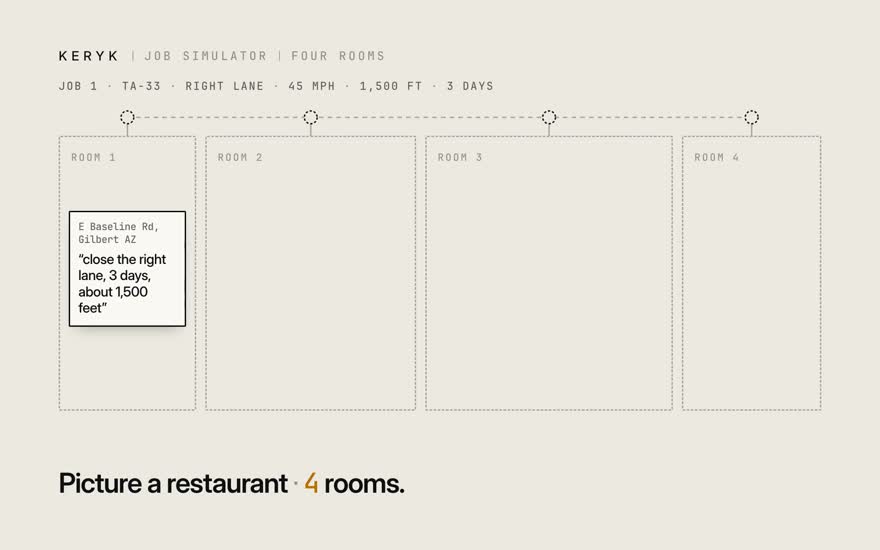
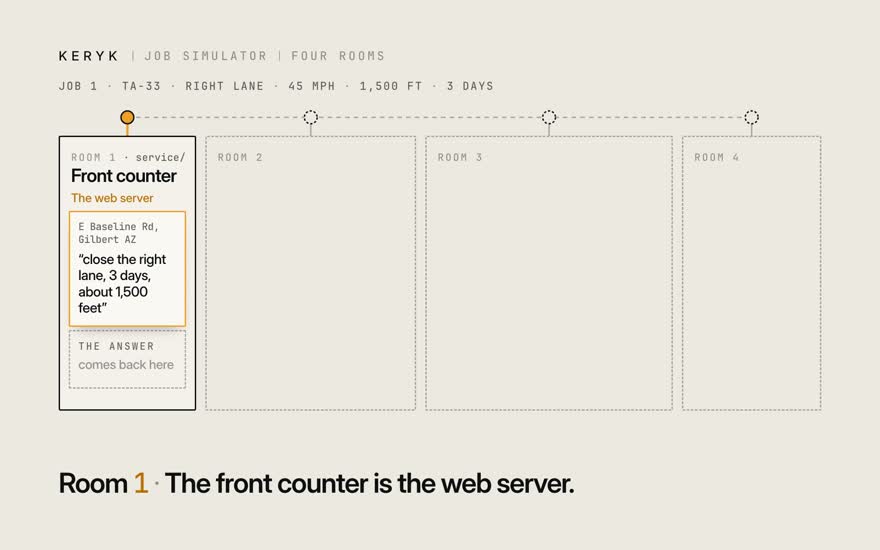
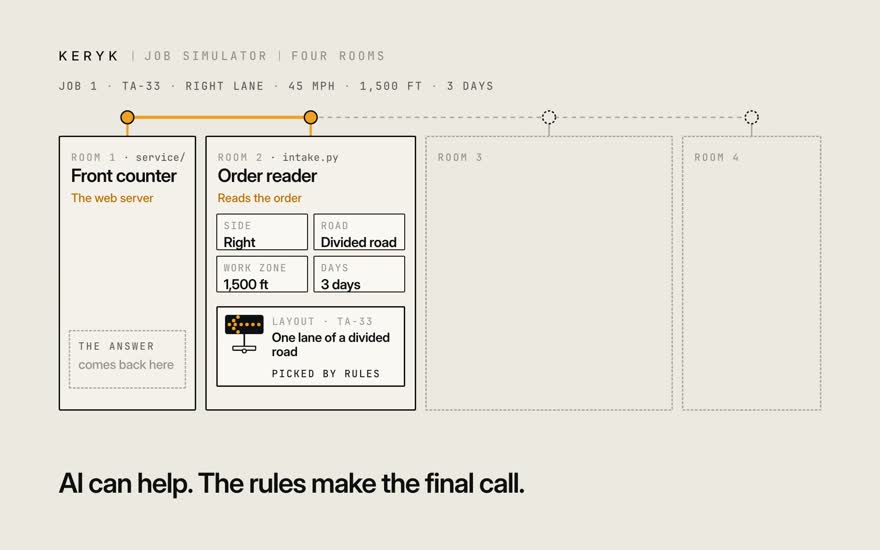
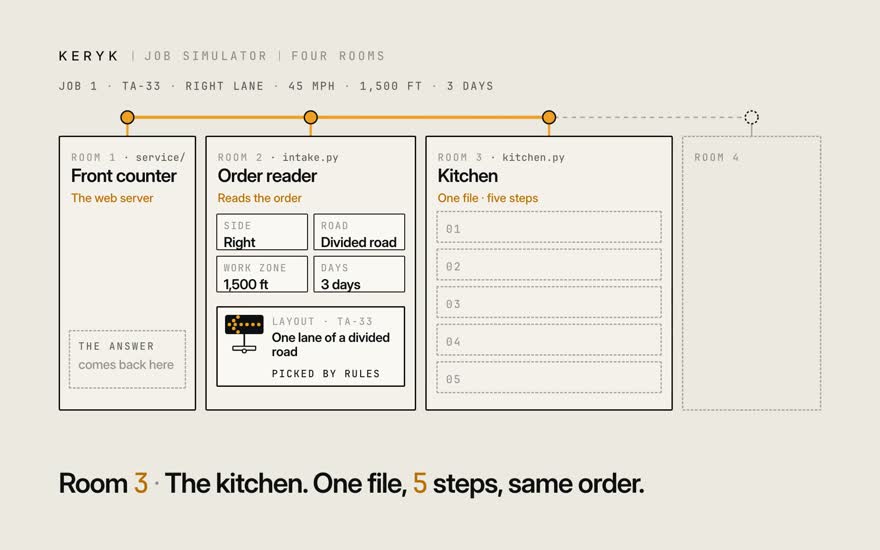
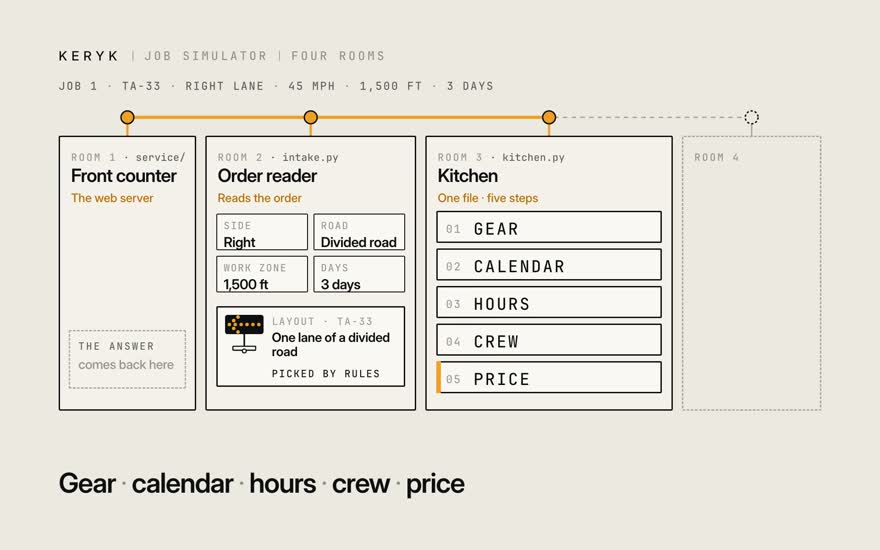
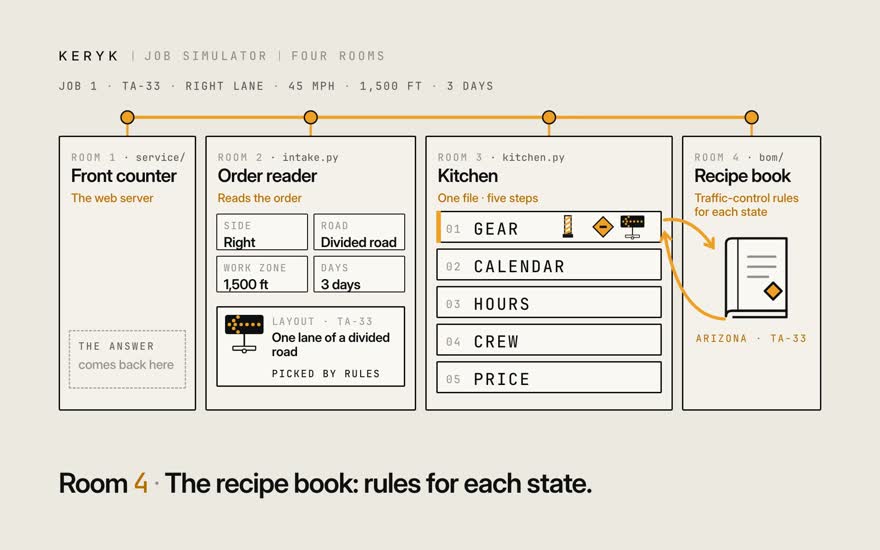
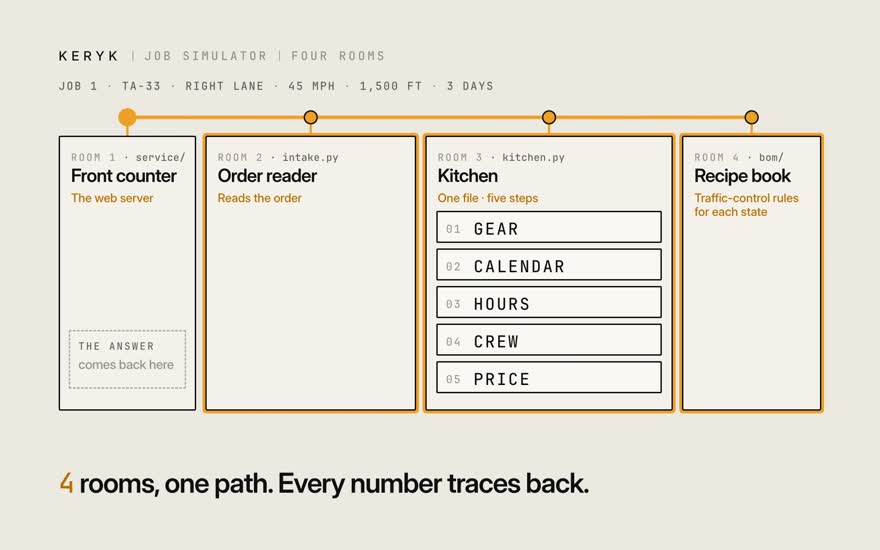
Let's follow one quote through the system — the same E Baseline Road job from the other films. It helps to picture a restaurant, because the code is laid out like one: four rooms, and the order walks through each. First, the front counter. That's the web server. It takes the order, and at the end it hands back the answer. Next, someone has to read the order. "Close the right lane, three days" gets turned into a proper job. An AI model can help with loose wording, but the rules always make the final call on the layout. Then the kitchen. This is the heart of it: one file, five steps, always in the same order. Gear, then the calendar, then hours, then the crew, then the price. The kitchen doesn't memorize what goes on the road. For that, it checks the recipe book — the traffic-control rules for each state. So: four rooms, one path through them. That means any number you see can be traced straight back. Crew, trips and gear come to $1,921. In the next film, we'll take that apart.

Stills · 9
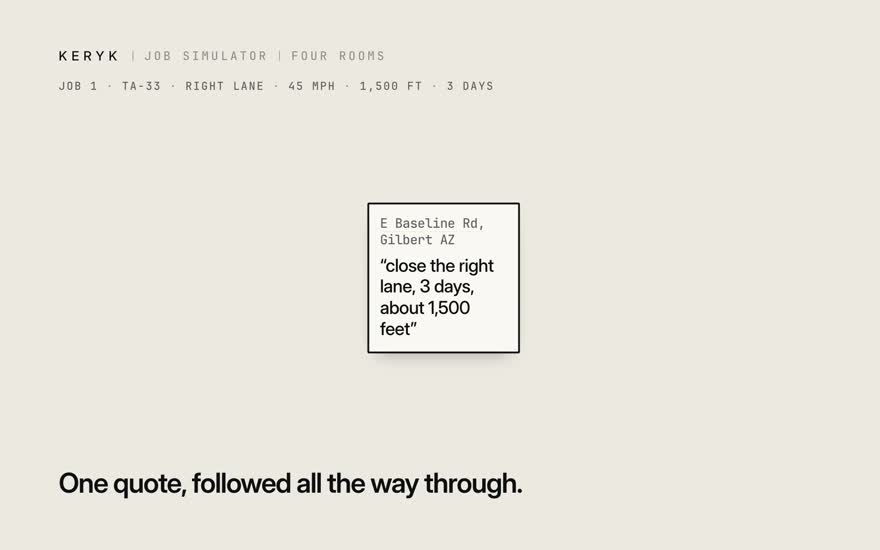
  1. 01Let's follow one quote through the system — the same E Baseline Road job from the other films.

  2. 02It helps to picture a restaurant, because the code is laid out like one: four rooms, and the order walks through each.

  3. 03First, the front counter. That's the web server. It takes the order, and at the end it hands back the answer.

  4. 04Next, someone has to read the order. "Close the right lane, three days" gets turned into a proper job. An AI model can help with loose wording, but the rules always make the final call on the layout.

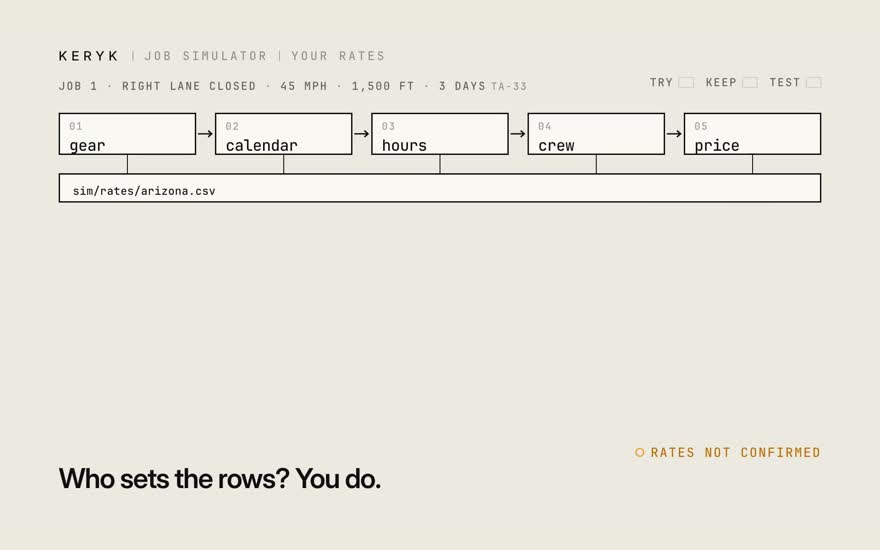
  5. 05Then the kitchen. This is the heart of it: one file, five steps, always in the same order.

  6. 06Gear, then the calendar, then hours, then the crew, then the price.

  7. 07The kitchen doesn't memorize what goes on the road. For that, it checks the recipe book — the traffic-control rules for each state.

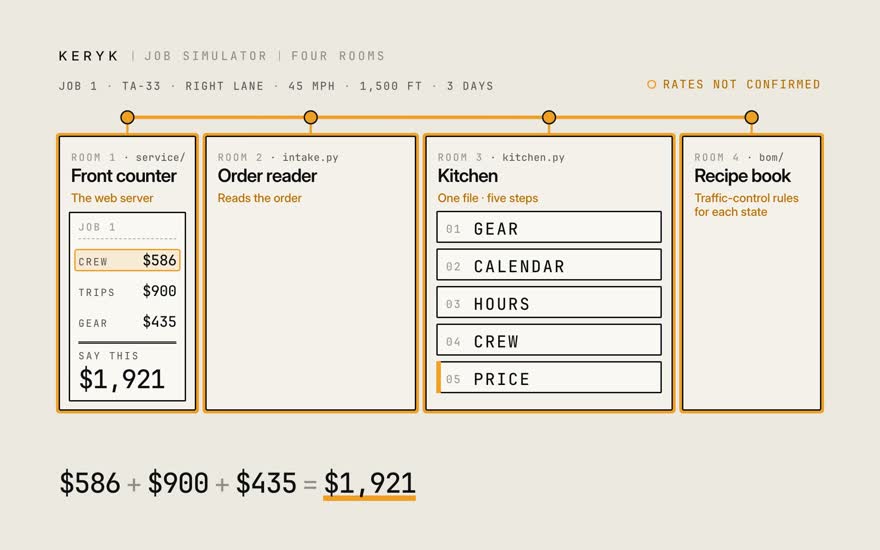
  8. 08So: four rooms, one path through them. That means any number you see can be traced straight back.

  9. 09Crew, trips and gear come to $1,921. In the next film, we'll take that apart.

Film 2 · 1:15

Every number unfolds

What sits under one line of the receipt?

Open a line down to its rate-card row. Change the row. Watch it move.

Next: Your rates
Transcript

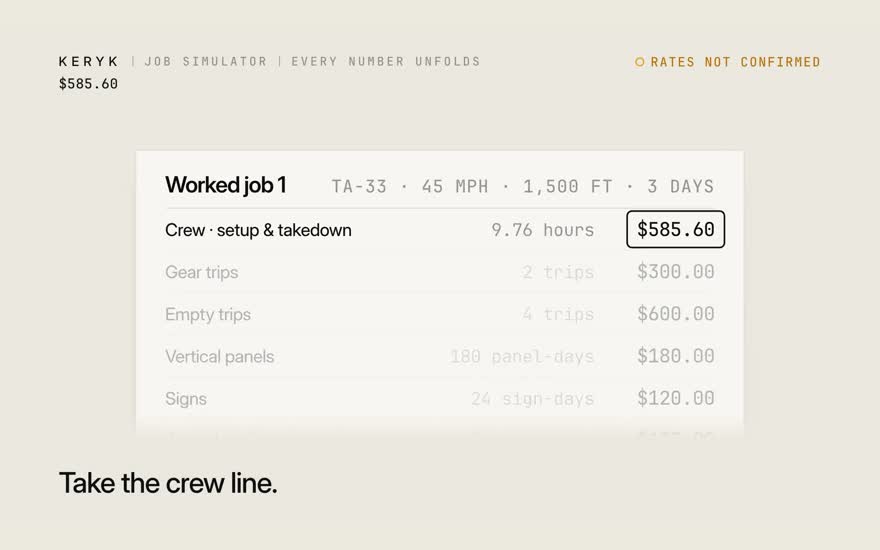
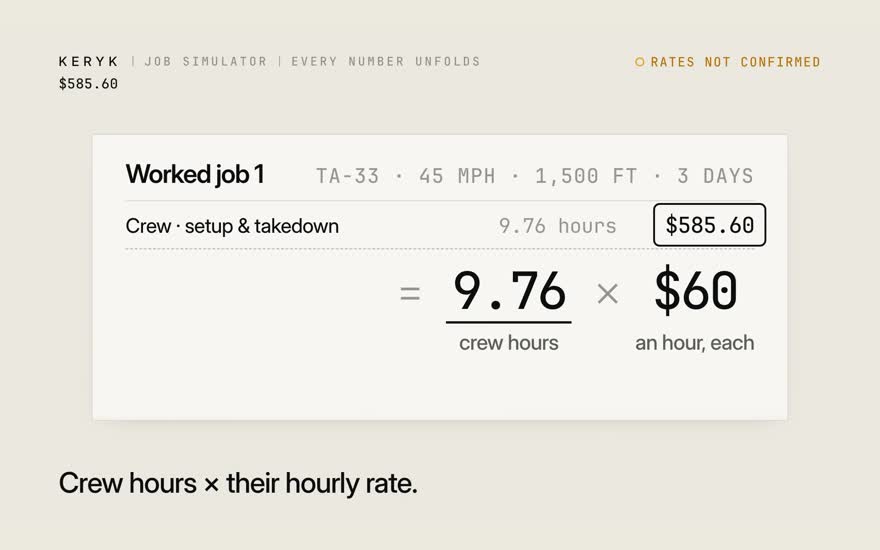
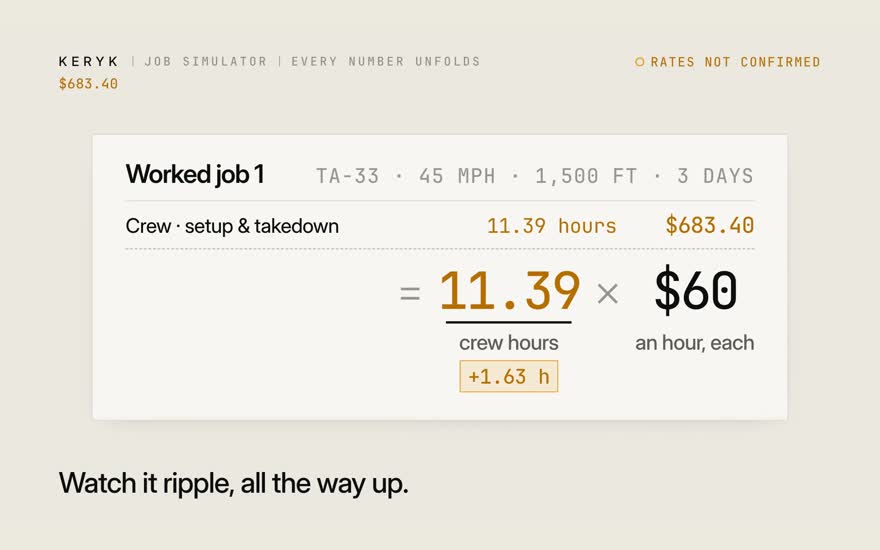
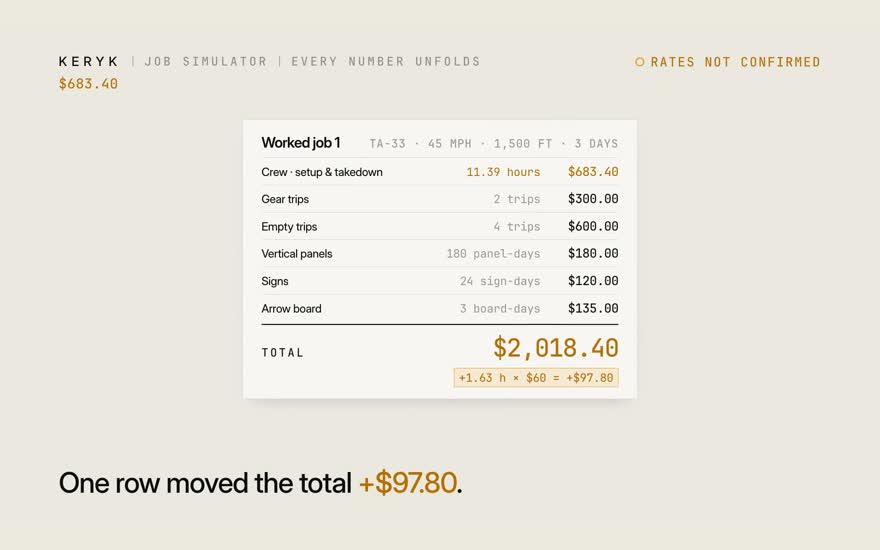
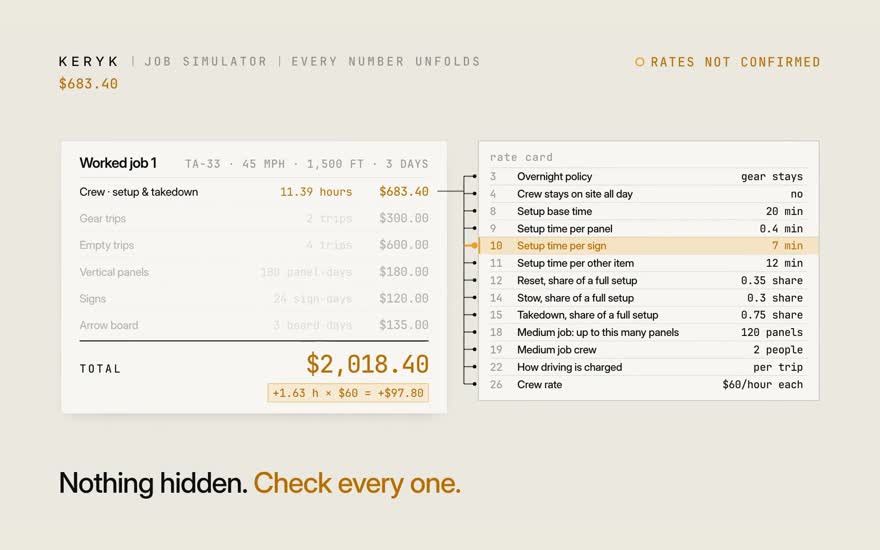
Let's take one number and see what it's actually made of. We'll use the crew line. It's just the crew's hours, times their hourly rate. Those hours are two people, times the minutes they spend working. The minutes come from six visits to the site over the job — and each visit is a share of one full setup. A full setup is a base time, plus a few minutes for every panel, every sign, and the arrow board. Now look at that five. That's five minutes per sign — and it's one row on the rate card. Say the real number is seven. Change that one row. Watch it ripple. Every number above it moves, all the way up. One row moved the total by $97.80. And the crew line rests on thirteen rows like that one. Nothing's hidden. You can check every one.

Stills · 10
  1. 01Let's take one number and see what it's actually made of. We'll use the crew line.

  2. 02It's just the crew's hours, times their hourly rate.

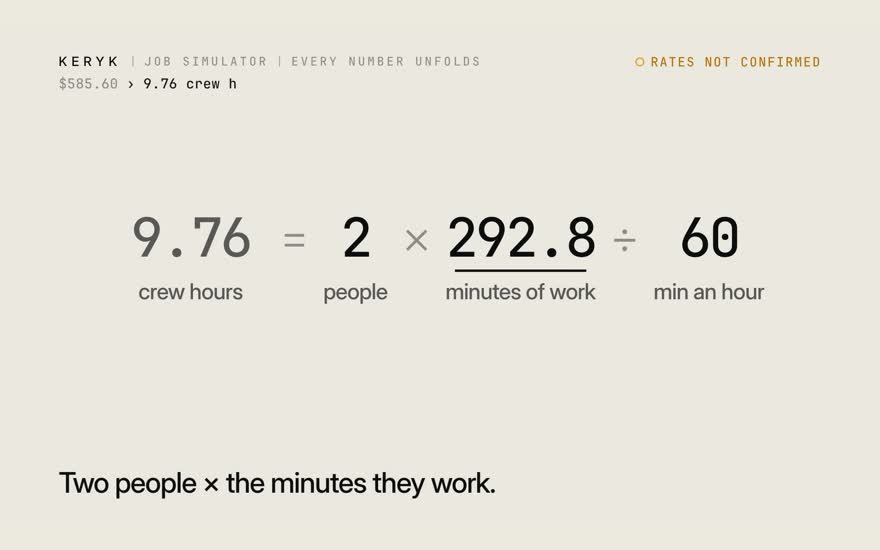
  3. 03Those hours are two people, times the minutes they spend working.

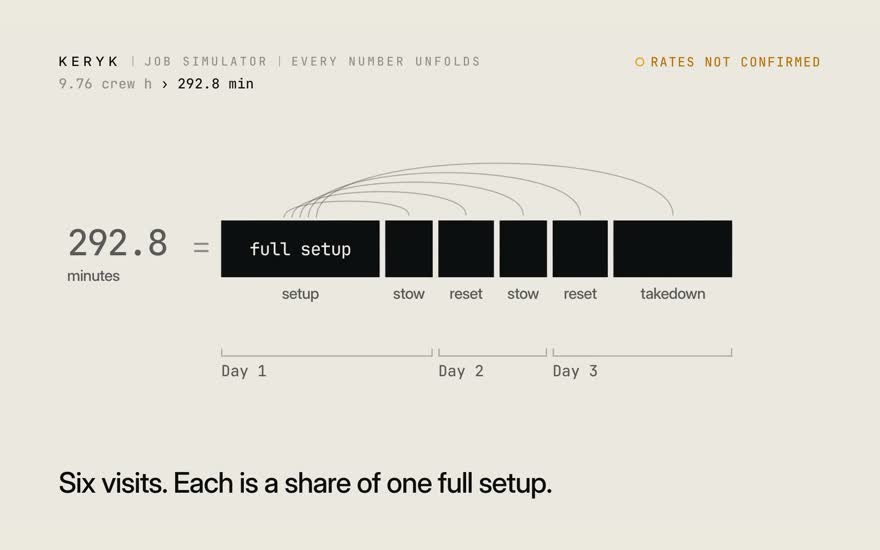
  4. 04The minutes come from six visits to the site over the job — and each visit is a share of one full setup.

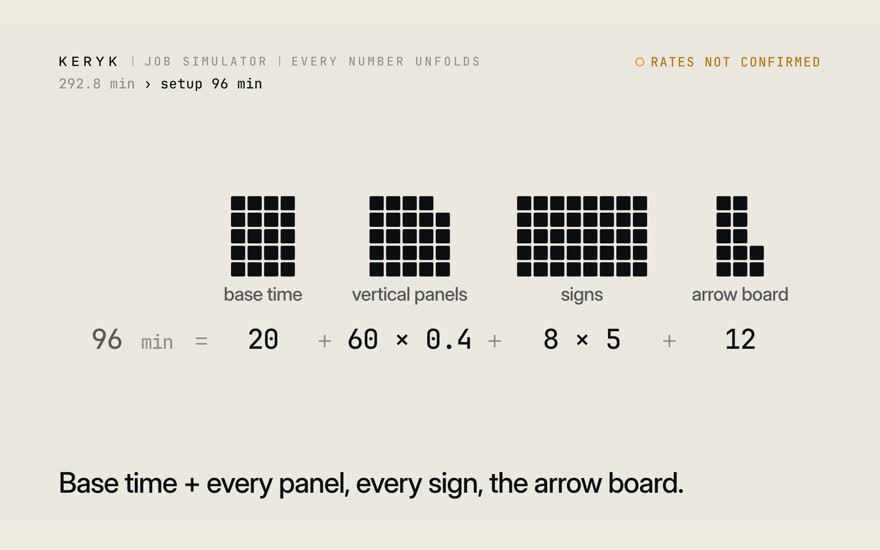
  5. 05A full setup is a base time, plus a few minutes for every panel, every sign, and the arrow board.

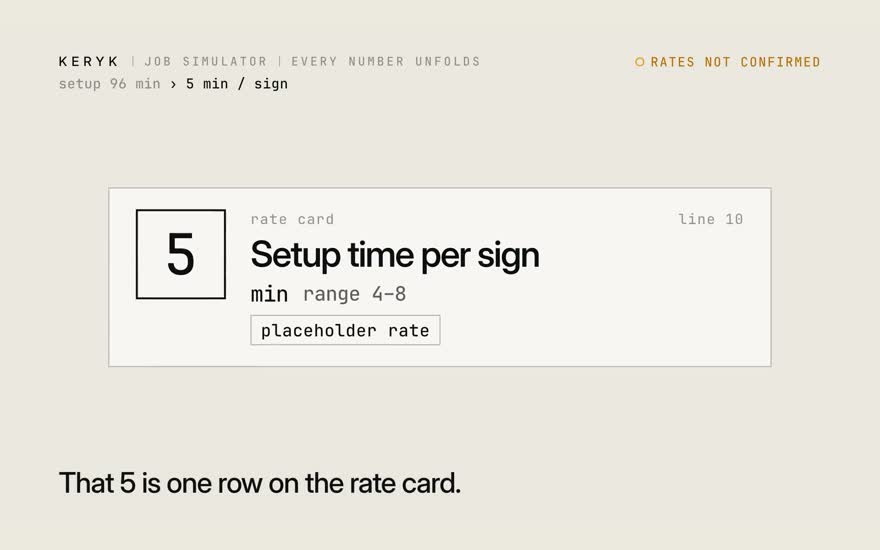
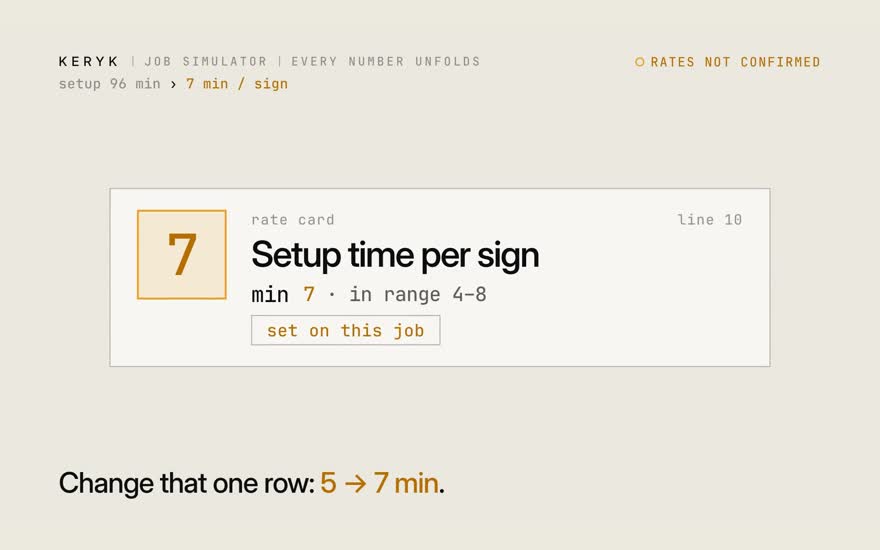
  6. 06Now look at that five. That's five minutes per sign — and it's one row on the rate card.

  7. 07Say the real number is seven. Change that one row.

  8. 08Watch it ripple. Every number above it moves, all the way up.

  9. 09One row moved the total by $97.80.

  10. 10And the crew line rests on thirteen rows like that one. Nothing's hidden. You can check every one.

Film 3 · 1:01

Your rates

How do I put my real rates in?

One row per rate. Try it on one job. Mark it confirmed. The tests show what moved.

Next: Your gear
Transcript

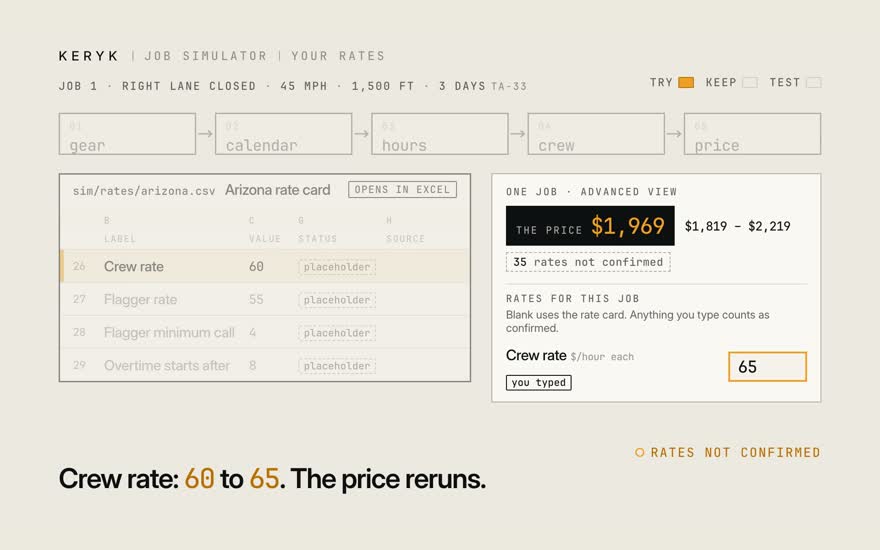
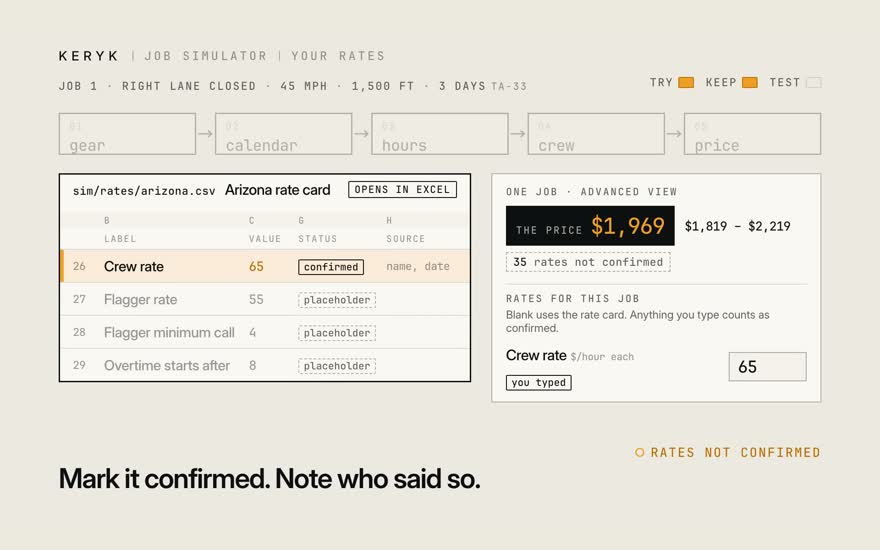
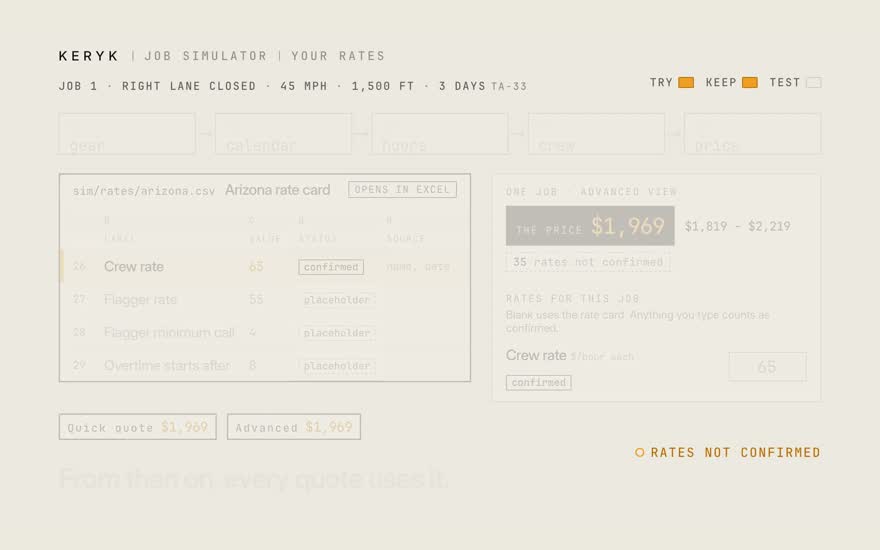
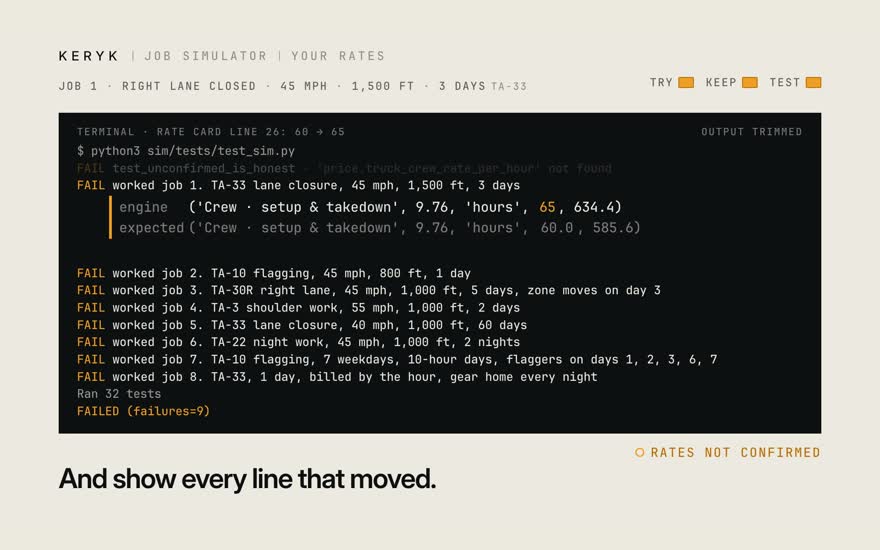
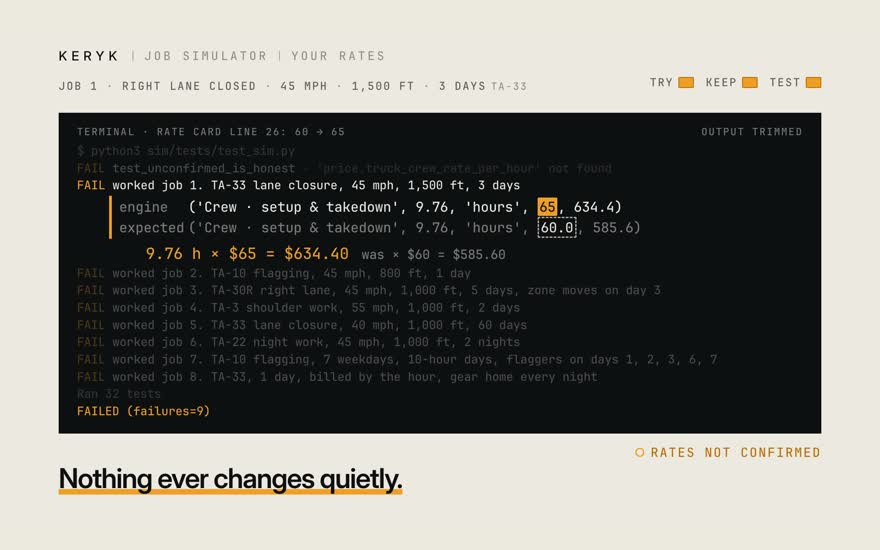
So who sets those rows? You do. Every rate the math uses lives in one row, in one file. It's the Arizona rate card, and it opens right in Excel. If you just want to try a number, you don't have to touch the file. Type it on a single job. Say the crew rate goes from 60 to 65. The price reruns right there. When you're sure, change the row itself. Mark it confirmed, and note who said so. From then on, every quote uses it. Then run the tests. They'll fail on purpose, and show you every line that moved. So nothing ever changes quietly.

Stills · 9
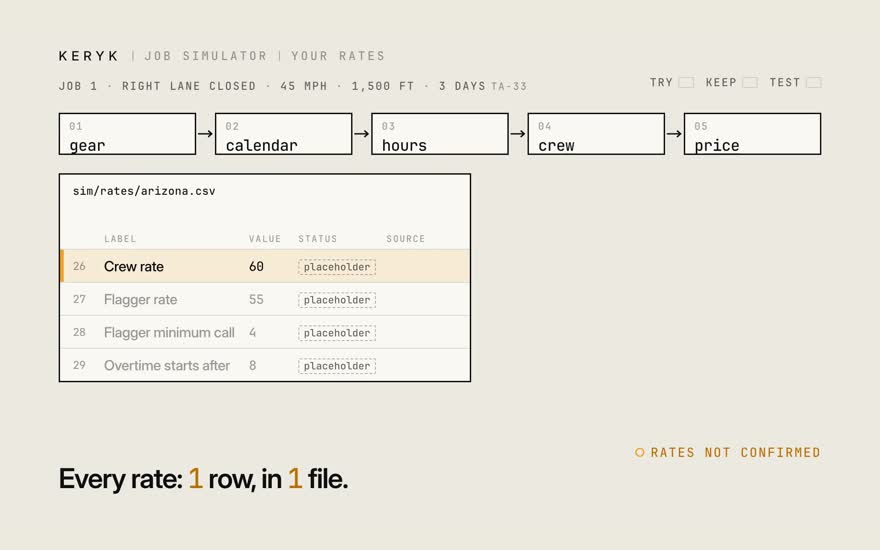
  1. 01So who sets those rows? You do.

  2. 02Every rate the math uses lives in one row, in one file.

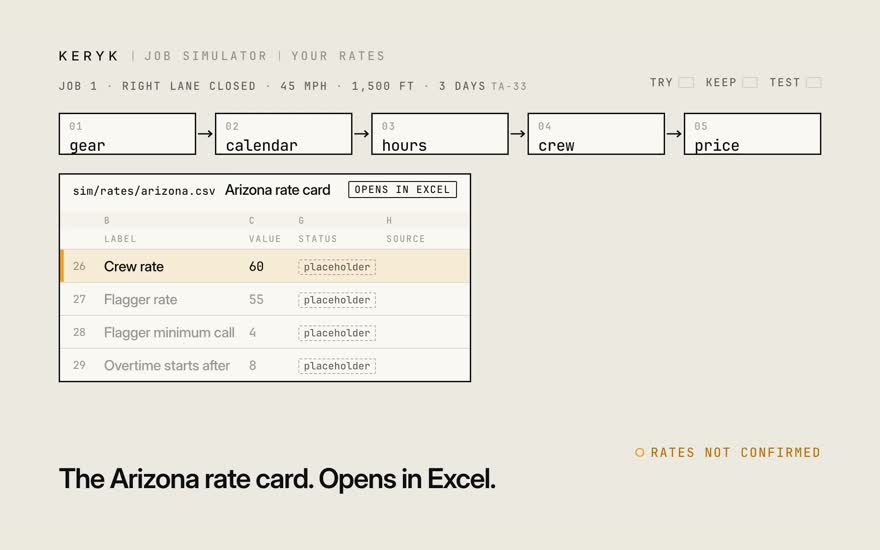
  3. 03It's the Arizona rate card, and it opens right in Excel.

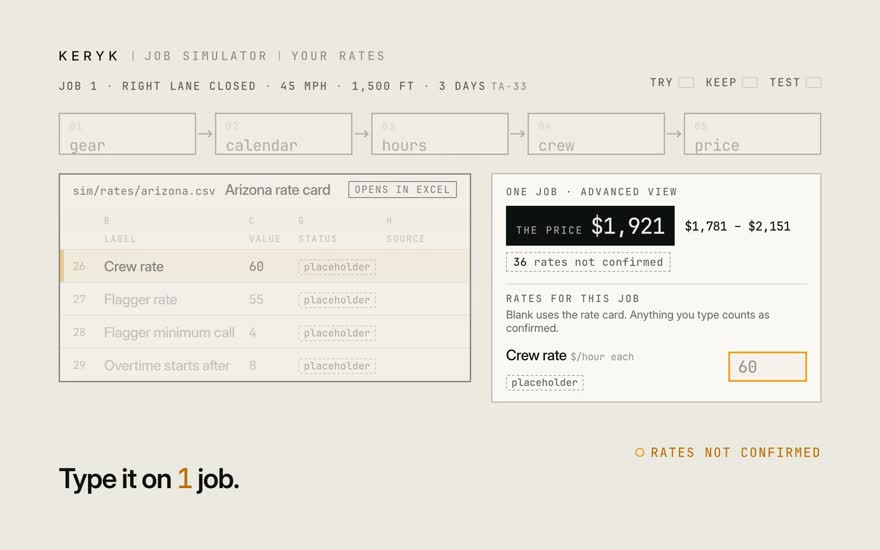
  4. 04If you just want to try a number, you don't have to touch the file. Type it on a single job.

  5. 05Say the crew rate goes from 60 to 65. The price reruns right there.

  6. 06When you're sure, change the row itself. Mark it confirmed, and note who said so.

  7. 07From then on, every quote uses it.

  8. 08Then run the tests. They'll fail on purpose, and show you every line that moved.

  9. 09So nothing ever changes quietly.

Film 4 · 0:50

Your gear

Can I use my own gear engine?

Plug it into the gear step. Everything after it runs the same.

Next: The API
Transcript

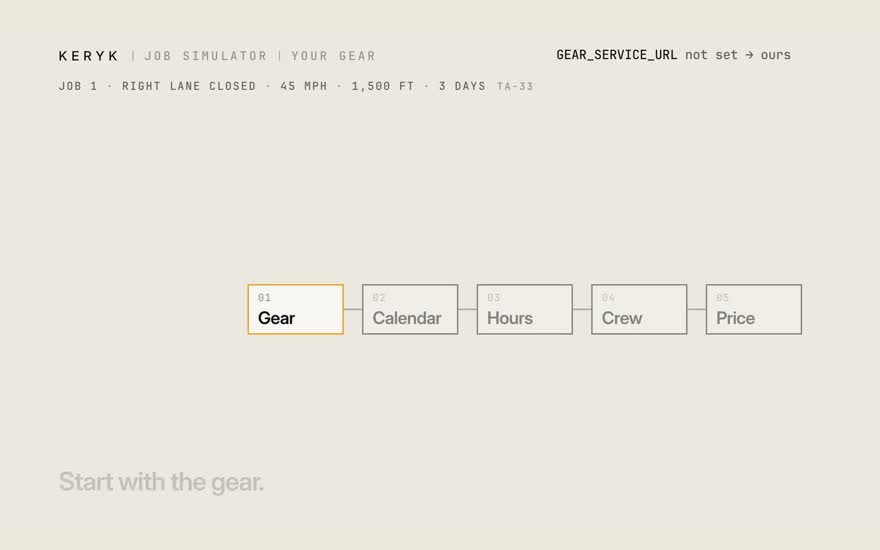
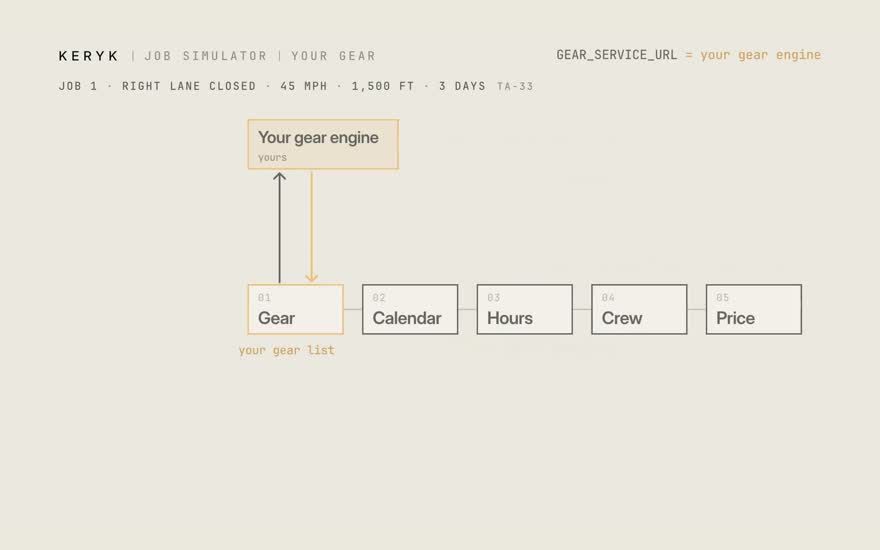
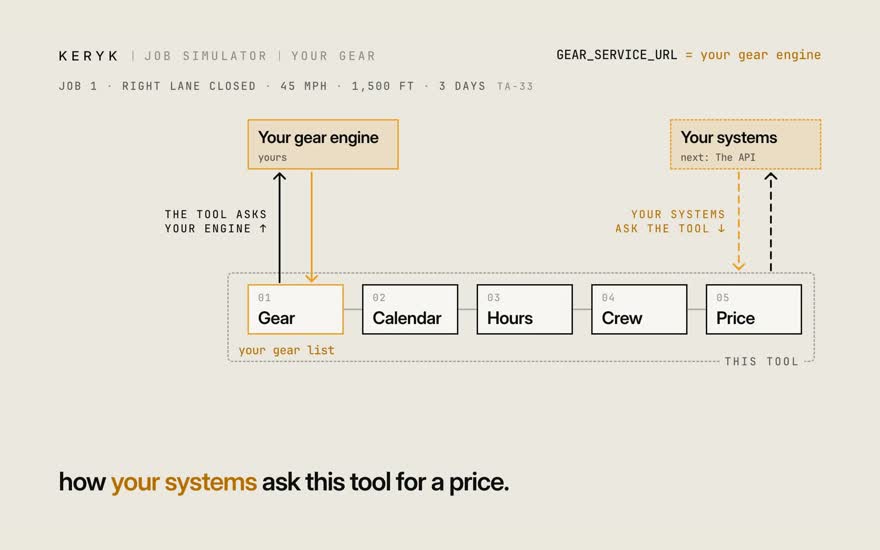
Now, how this connects to what you already have. Start with the gear. The tool works out its own gear list. But if you already have a gear engine you trust, you can plug that in instead. Point the tool at it, and your engine answers the one question: what goes on the road for this job? Everything after that — the calendar, the hours, the crew, the price — runs exactly the same. So you can run the two side by side, or switch over for good. Your call. That's one direction. Next, the other way around: how your systems ask this tool for a price.

Stills · 6
  1. 01Now, how this connects to what you already have. Start with the gear.

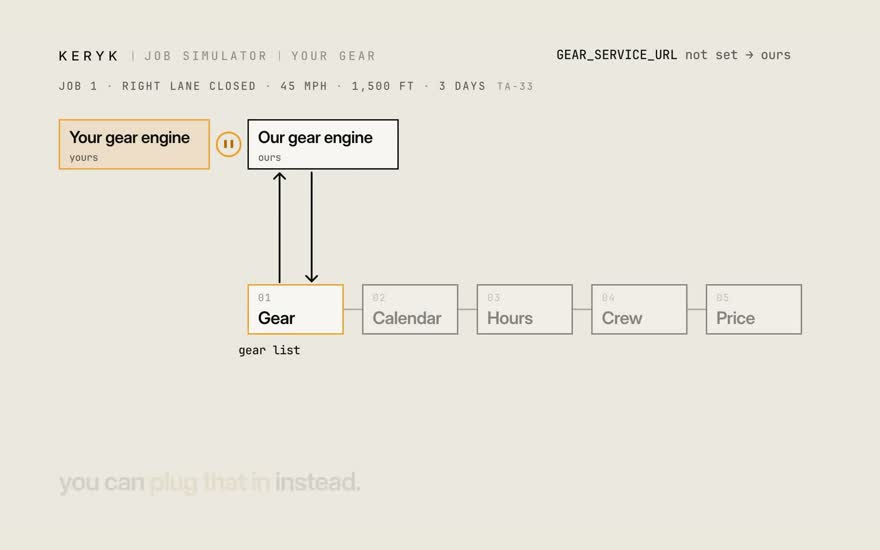
  2. 02The tool works out its own gear list. But if you already have a gear engine you trust, you can plug that in instead.

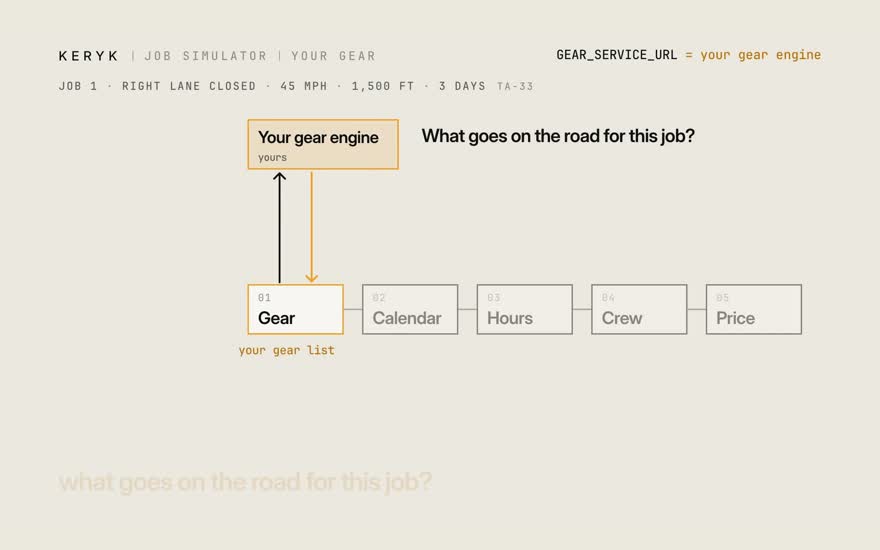
  3. 03Point the tool at it, and your engine answers the one question: what goes on the road for this job?

  4. 04Everything after that — the calendar, the hours, the crew, the price — runs exactly the same.

  5. 05So you can run the two side by side, or switch over for good. Your call.

  6. 06That's one direction. Next, the other way around: how your systems ask this tool for a price.

Film 5 · 2:03

The API

How do my systems ask for a price?

One address: POST /v1/estimate. Same job twice, same answer. Changed job, new ID.

Next: Try it: the steer demo
Transcript

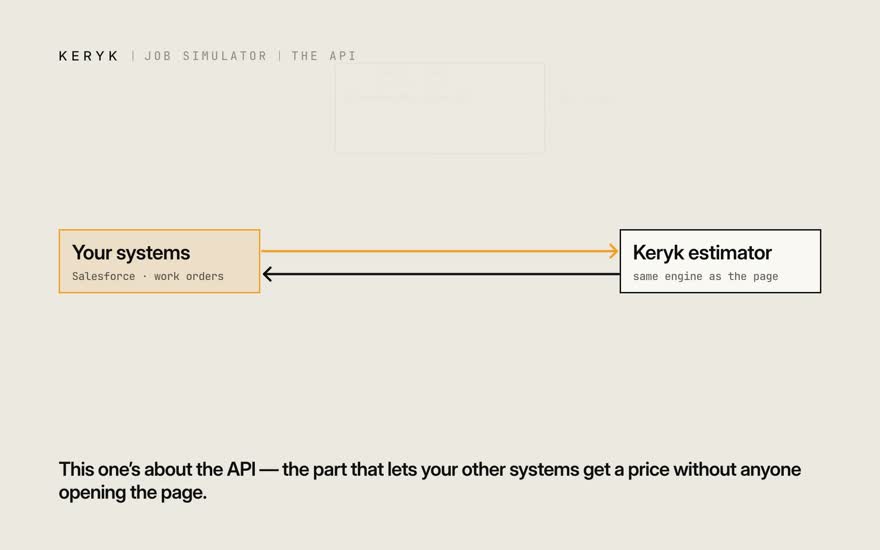
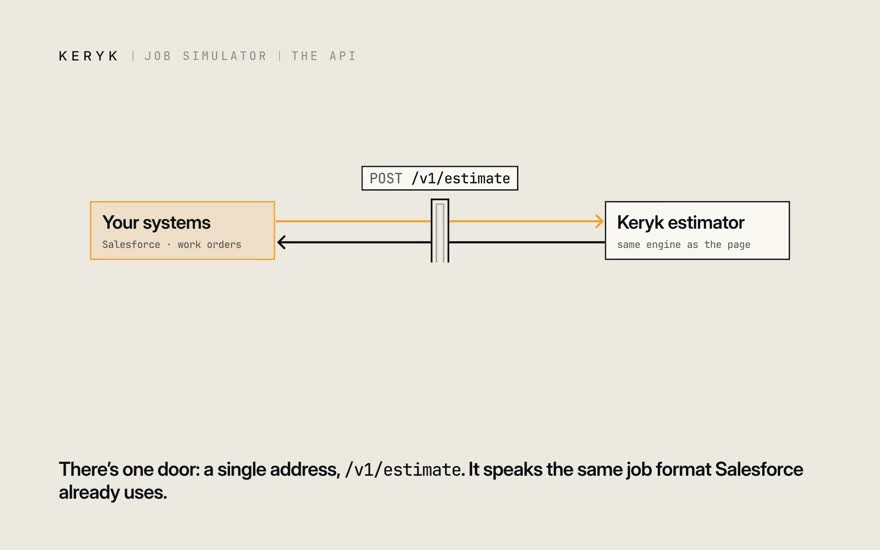
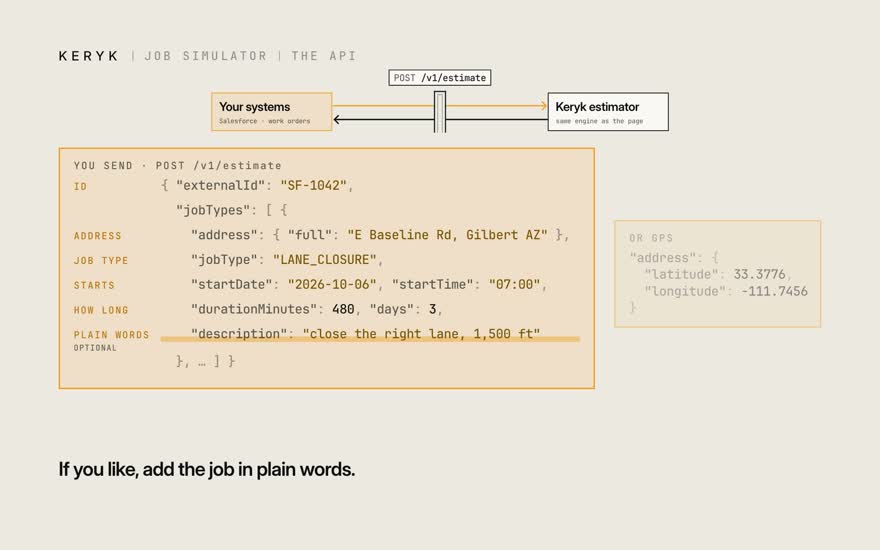
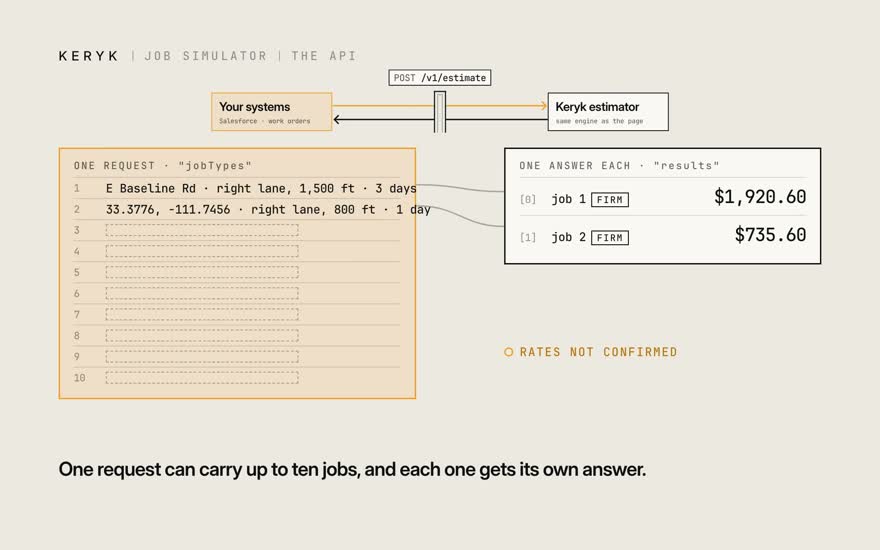
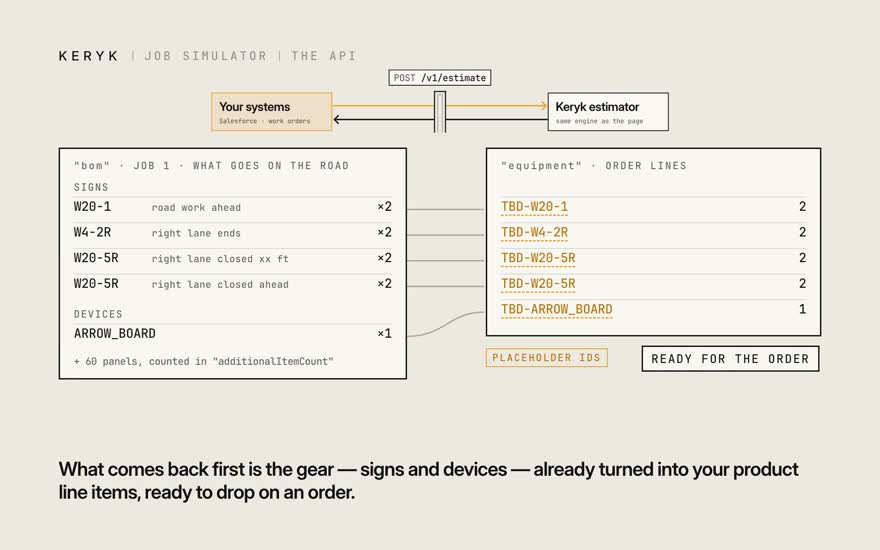
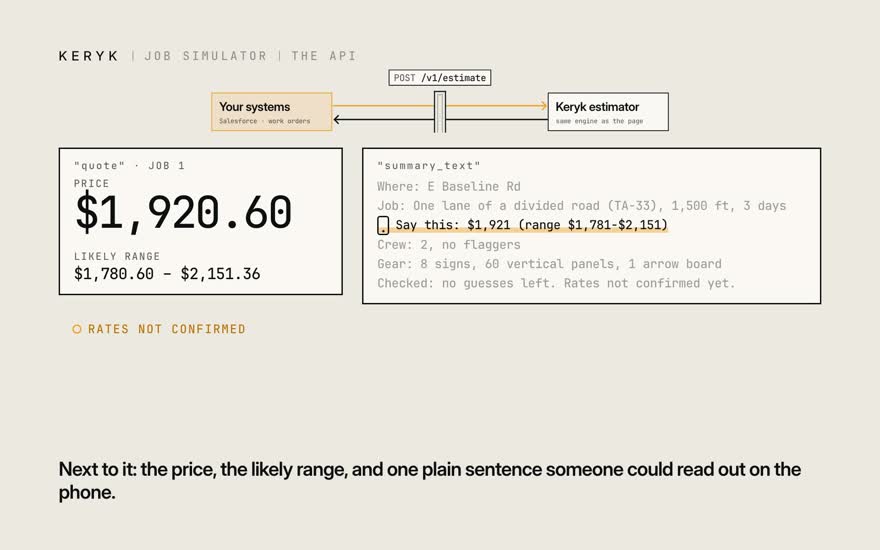
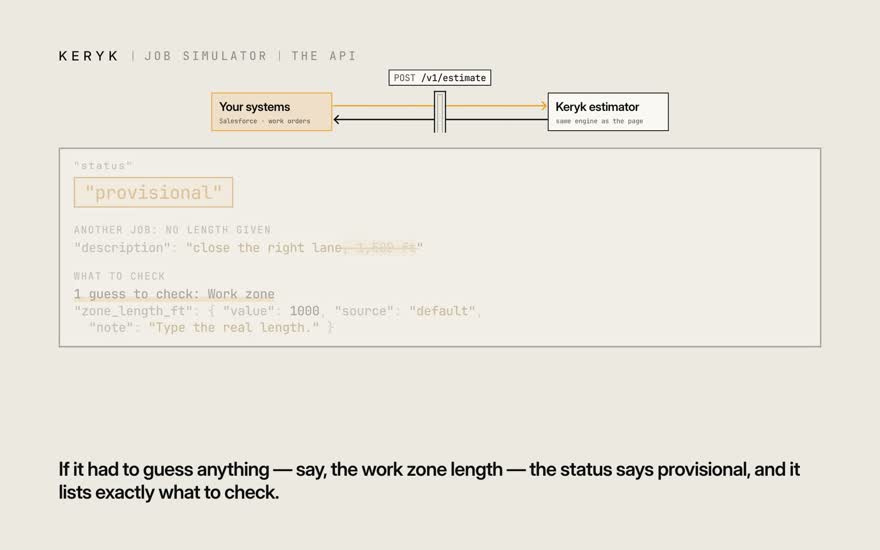
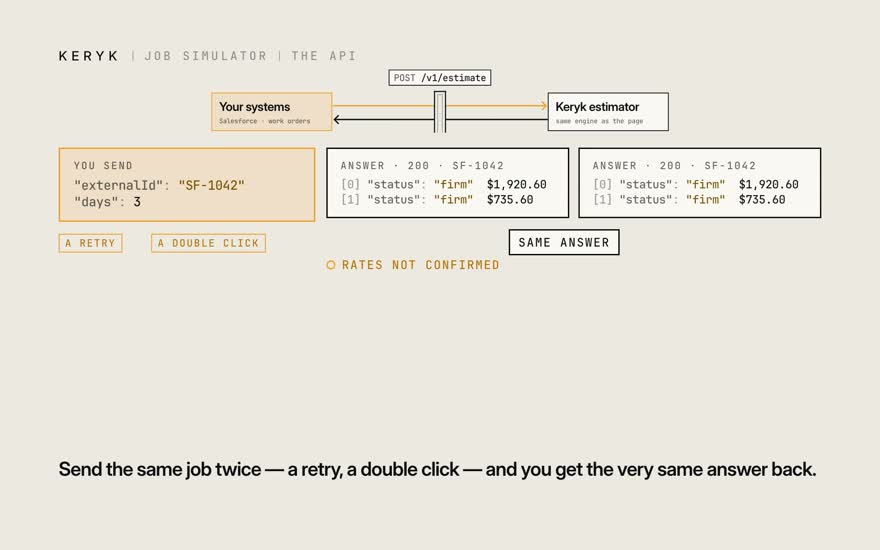
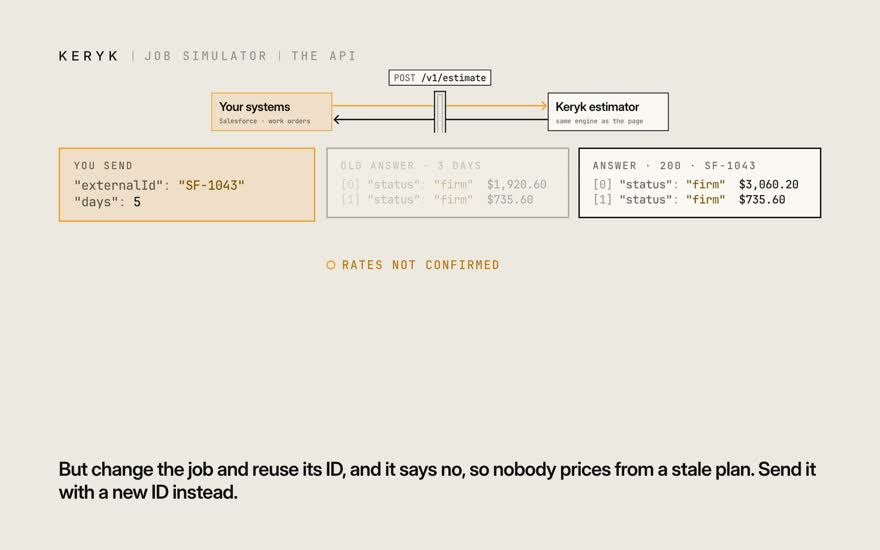
This one's about the API — the part that lets your other systems get a price without anyone opening the page. There's one door: a single address, /v1/estimate. It speaks the same job format Salesforce already uses. You send what a work order already knows: an ID, the address — street or GPS — the job type, when it starts, and how long it runs. If you like, add the job in plain words. One request can carry up to ten jobs, and each one gets its own answer. What comes back first is the gear — signs and devices — already turned into your product line items, ready to drop on an order. Next to it: the price, the likely range, and one plain sentence someone could read out on the phone. It also tells you how sure it is. If it had to guess anything — say, the work zone length — the status says provisional, and it lists exactly what to check. Send the same job twice — a retry, a double click — and you get the very same answer back. But change the job and reuse its ID, and it says no, so nobody prices from a stale plan. Send it with a new ID instead. And if something's wrong with a request, the error is a plain sentence, not a code to look up. One thing we still need from AWP: the real product IDs for each piece of gear. Today those are placeholders. The full list of what's still open is on the guide page. Use what helps, and skip what doesn't.

Stills · 12
  1. 01This one's about the API — the part that lets your other systems get a price without anyone opening the page.

  2. 02There's one door: a single address, /v1/estimate. It speaks the same job format Salesforce already uses.

  3. 03You send what a work order already knows: an ID, the address — street or GPS — the job type, when it starts, and how long it runs. If you like, add the job in plain words.

  4. 04One request can carry up to ten jobs, and each one gets its own answer.

  5. 05What comes back first is the gear — signs and devices — already turned into your product line items, ready to drop on an order.

  6. 06Next to it: the price, the likely range, and one plain sentence someone could read out on the phone.

  7. 07It also tells you how sure it is. If it had to guess anything — say, the work zone length — the status says provisional, and it lists exactly what to check.

  8. 08Send the same job twice — a retry, a double click — and you get the very same answer back.

  9. 09But change the job and reuse its ID, and it says no, so nobody prices from a stale plan. Send it with a new ID instead.

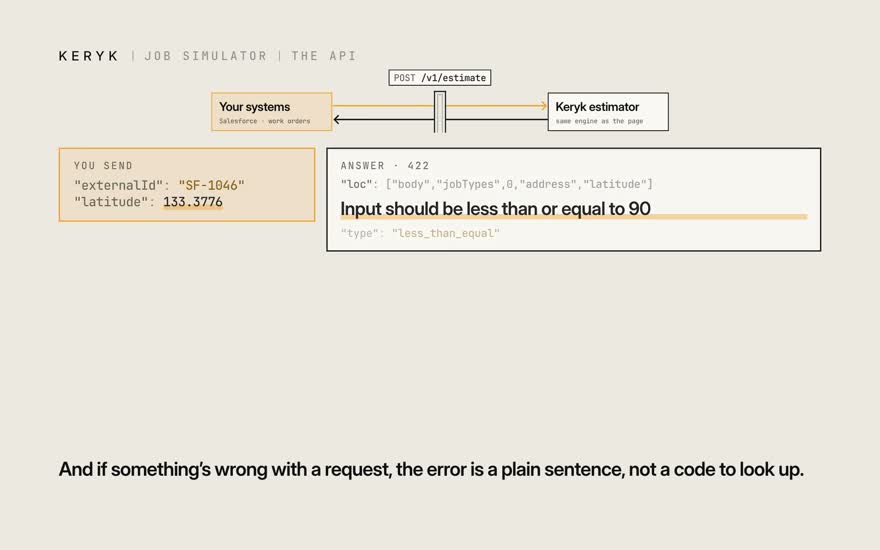
  10. 10And if something's wrong with a request, the error is a plain sentence, not a code to look up.

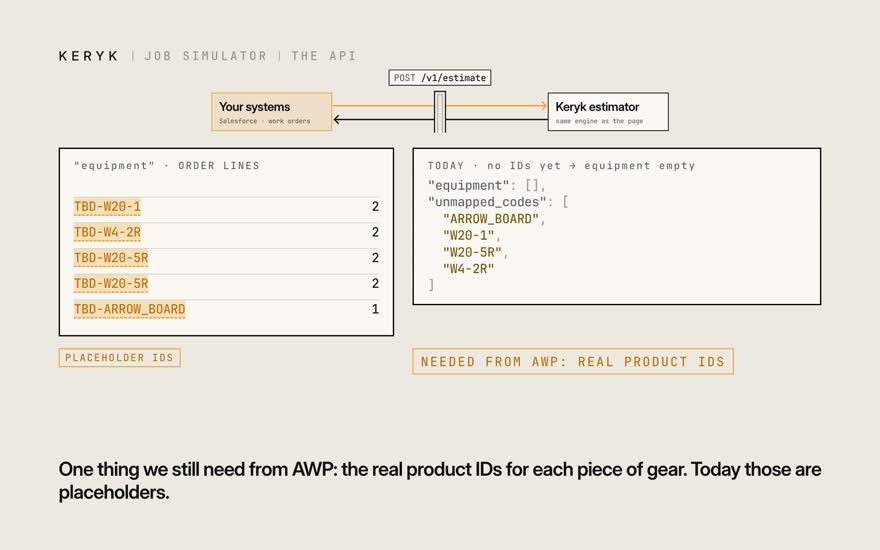
  11. 11One thing we still need from AWP: the real product IDs for each piece of gear. Today those are placeholders.

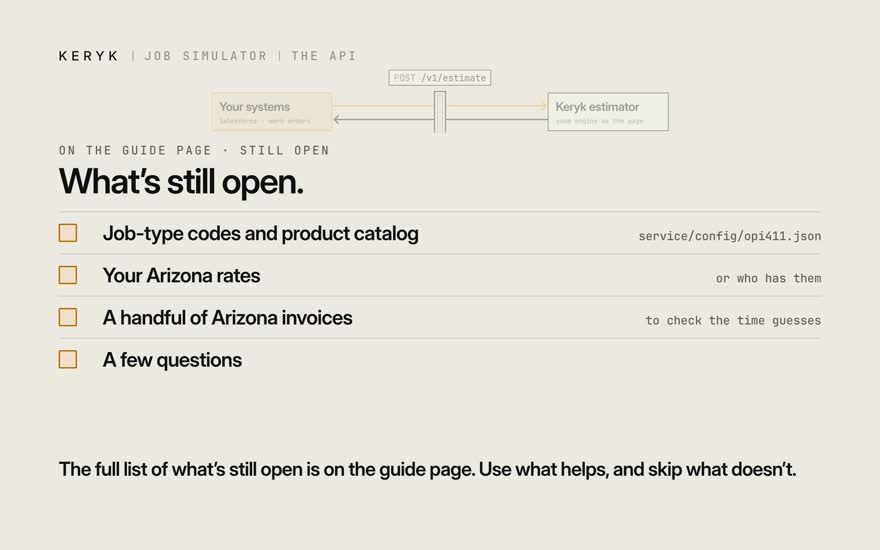
  12. 12The full list of what's still open is on the guide page. Use what helps, and skip what doesn't.

Try it

From the 9/23 call

“A job simulation engine that will take a set of inputs, make predictions about amounts of time driving and amounts of delivery time and amounts of other stuff, and then spit out: here’s the projected BOM, here’s the projected amount of people, here’s the projected time and effort.”
“Even if there was nothing being delivered … still delivery, but quantity is zero.”
“Think of the truck people may be separate from the on-site people in some cases.”

Confirmed so far: one thing. Each trip bills on its own (9/23 call). The rest is a guess or a placeholder.

1 · Your rates

Every rate is one row in the rate card, sim/rates/arizona.csv. Open it in Excel.

Change value. Set status to confirmed. Put who said so in source.

Run ./run-tests.sh. It fails and names every line that moved.

The whole rate card →

2 · Your gear engine

Step 1 makes the gear list.

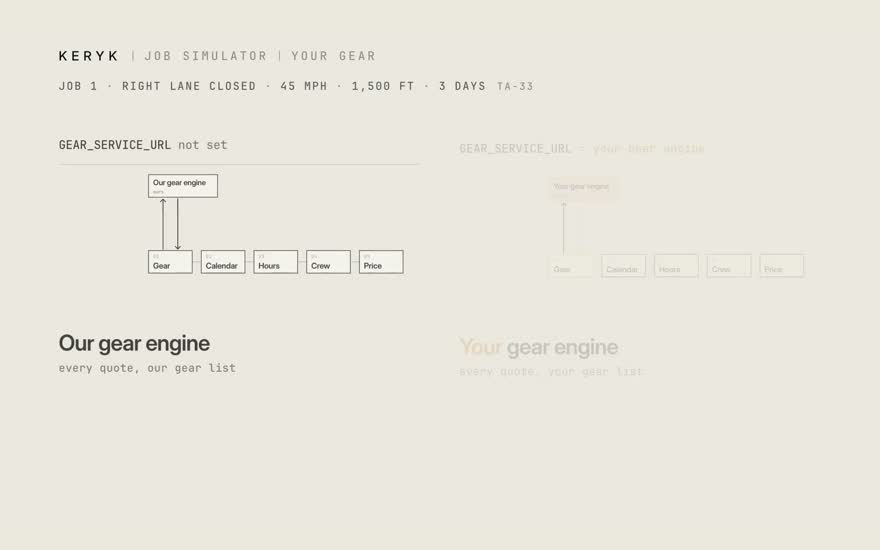
Set GEAR_SERVICE_URL and every quote takes your engine’s list. Steps 2–5 don’t change.

Your engine stays yours. We don’t read it or replace it.

What we send, what we read →

3 · Salesforce

POST /v1/estimate takes the OPI-411 create payload.

Same job, same ID: the same answer. Changed job, same ID: 409.

Job-type codes and product ids are placeholders for now.

In and out →

The asks

No rush. Take what’s useful.

  • Job-type codes and product catalog. The real OPI-411 list. It goes in service/config/opi411.json.
  • Your Arizona rates. Or who has them. They go in the rate card.
  • A handful of Arizona invoices. To check the time guesses against real jobs.
  • A few questions.
    6 questions
    1. Who uses it first: order takers in D365, or estimators?
    2. What does the Arizona intake send, exactly?
    3. Price and day plan in the API, or only gear, flaggers and TMA?
    4. The layout picture: PNG, PDF or a link?
    5. Customer-facing before the invoices check it, or internal only?
    6. Flaggers on a divided road: TA-33 plus flaggers today. Right, or a different layout?
Reference

Reference

Built from the rate card and the engine. Nothing typed by hand. Worked job 1: TA-33 · 45 mph · 1,500 ft · 3 days · Arizona.

The rate card

Every number the math uses is one row in sim/rates/arizona.csv. 37 rows. 36 rates not confirmed.

# sim/rates/arizona.csv
key,label,value,low,high,unit,status,source
hours.setup_base_minutes,Setup base time,20,15,30,min,default,
price.trip_fee,Fee per gear trip,150,,,$/trip,placeholder,
price.truck_crew_rate_per_hour,Crew rate,60,,,$/hour each,placeholder,

To keep a rate for every job: change value, set status to confirmed, put who said so in source. Then run ./run-tests.sh. It names every line that moved.

low and high are the cheap and dear ends. Blank = same as value. The prefix names the step that reads the row. A bad row fails on load with its line number.

StatusMeansRows
confirmedSomeone with authority said so. The source names who and when.1
assumedReasoned from what we were told. Needs a yes.5
placeholderA round number so the math runs. Every rate starts here.15
unknownWe don't know. Ask.1
defaultA generic starting value. Nobody has looked at it for Arizona yet.15
RowValueUnitStatus
1 · gear()
Fewest flaggers on a flagging jobgear.min_flaggers_on_flagging_jobTwo-way traffic control needs one flagger per end2peopledefault
2 · calendar()
Overnight policycalendar.overnight9/23 review call: gear is often left on site between work days. Choices: leave_on_site, leave_in_place, remove_nightlyleave on site—assumed
Crew stays on site all daycalendar.truck_crew_stays_on_site9/23 review call: the crew that sets up can be separate from the flaggersno—assumed
Extra panels when the zone movescalendar.move_extra_fraction0.2 (0.1–0.35)sharedefault
3 · hours()
Drive time, yard to sitehours.drive_minutes_one_way35 (20–60)mindefault
Load or unload at the yardhours.load_minutes_per_trip15 (10–25)mindefault
Setup base timehours.setup_base_minutes20 (15–30)mindefault
Setup time per panelhours.minutes_per_channelizerNumber check 2026-09-29: Caltrans cone-truck study ~0.1-0.2 min/device; panels on bases slower (~0.25-0.5). Confirm with AWP.0.4 (0.15–0.75)minassumed
Setup time per signhours.minutes_per_sign5 (4–8)mindefault
Setup time per other itemhours.minutes_per_device12 (8–20)mindefault
Quick reset, share of a full setuphours.reset_fraction0.35 (0.25–0.5)sharedefault
Zone move, share of a full setuphours.move_fraction0.6 (0.4–0.8)sharedefault
Overnight stow, share of a full setuphours.stow_fraction0.3 (0.2–0.4)sharedefault
Full takedown, share of a full setuphours.takedown_fraction0.75 (0.6–0.9)sharedefault
4 · crew()
Small job: up to this many panelscrew.small_job_max_channelizers40panelsdefault
Small job crewcrew.small_job_truck_crew2peopledefault
Medium job: up to this many panelscrew.medium_job_max_channelizers120panelsdefault
Medium job crewcrew.medium_job_truck_crewNumber check 2026-09-29: AWP Illinois lane-closure package and Caltrans cone trucks use 2 people. Confirm with AWP.2peopleassumed
Large job crewcrew.large_job_truck_crewNumber check 2026-09-29: medium jobs dropped to 2 people (AWP Illinois package + Caltrans); large jobs step up one to 3. Confirm with AWP.3peopleassumed
Crew members per crew vehiclecrew.crew_members_per_vehicleOPI-411 §12 worked example; not an AWP number2peopledefault
5 · price()
How driving is chargedprice.trip_billing9/23 review call: drive time is recorded and charged as a delivery or a pickup. Choices: per_event, per_hourper event—confirmed
Fee per gear tripprice.trip_fee150$/tripplaceholder
Fee per empty tripprice.zero_gear_trip_feeEmpty trips bill (9/23 review call). Same fee as a gear trip? Ask.150$/tripunknown
Truck cost per drive hour (per_hour billing only)price.truck_rate_per_hour45$/hplaceholder
Crew rateprice.truck_crew_rate_per_hour60$/hour eachplaceholder
Flagger rateprice.flagger_rate_per_hour55$/hour eachplaceholder
Flagger minimum callprice.site_min_hours_per_day4h/dayplaceholder
Overtime starts afterprice.overtime_after_hours_per_day8h/dayplaceholder
Overtime multiplierprice.overtime_multiplier1.5×placeholder
Pay flaggers for travel timeprice.site_crew_travel_paidCommon practice; AWP's rule unknownyes—placeholder
Crew vehicleprice.crew_vehicle_rate_per_day60$/vehicle-dayplaceholder
Panel rentalprice.channelizer_rate_per_day1$/panel-dayplaceholder
Sign rentalprice.sign_rate_per_day5$/sign-dayplaceholder
Arrow board rentalprice.arrow_board_rate_per_day45$/board-dayplaceholder
Type III barricade rentalprice.type_iii_barricade_rate_per_day4$/barricade-dayplaceholder
Any other gear rentalprice.other_device_rate_per_dayShadow vehicle, work vehicle and anything else without its own row10$/item-dayplaceholder
Flat job feeprice.job_fee0$placeholder
How the range is worked out

The price = every rate-card number at its usual value. The receipt adds up to it, to the cent.

The range = move one number to its low end, then its high end. Everything else stays put. Note how far the total moves.

Then add the moves the way independent errors add: square root of the sum of squares. Not every number wrong at once. Same job, same answer.

NumberTotal at its low endAt its high endDownUp
Panel count$1,860.60$1,980.60−$60.00+$60.00
Setup base time$1,890.00$1,981.80−$30.60+$61.20
Setup time per panel$1,829.40$2,049.00−$91.20+$128.40
Setup time per sign$1,872.00$2,067.00−$48.60+$146.40
Setup time per other item$1,896.00$1,969.20−$24.60+$48.60
Quick reset, share of a full setup$1,882.20$1,978.20−$38.40+$57.60
Overnight stow, share of a full setup$1,882.20$1,959.00−$38.40+$38.40
Full takedown, share of a full setup$1,891.80$1,949.40−$28.80+$28.80

Down: $140.00. Up: $230.76. Worked job 1: $1,780.60 · $1,920.60 · $2,151.36.

Biggest swing: Biggest swing: setup time per panel, $1,829–$2,049 on its own.

API

Same engine as the page. No login today; BOM_AUTH_REQUIRED=1 turns it on. $HOST is wherever the tool runs. Field names stay as the code has them.

POST/simulate

A job by layout code, straight to the math. The full answer out. Worked job 1:

Request

curl -s -X POST $HOST/simulate \
  -H 'Content-Type: application/json' \
  -d '{"job": {"ta": "ta-33", "speed_mph": 45, "zone_length_ft": 1500, "days": 3}}'

Response, trimmed

{
  "job": {
    "ta": "ta-33",
    "speed_mph": 45,
    "zone_length_ft": 1500,
    "days": 3,
    "jurisdiction": "arizona"
  },
  "rate_card": {
    "region": "arizona",
    "file": "sim/rates/arizona.csv"
  },
  "range": {
    "low": 1780.6,
    "typical": 1920.6,
    "high": 2151.36,
    "reason": "Biggest swing: setup time per panel, $1,829–$2,049 on its own."
  },
  "categories": {
    "labor": 585.6,
    "trips": 900.0,
    "equipment": 435.0,
    "fees": 0.0
  },
  "lines": [
    {
      "id": "truck_work",
      "category": "labor",
      "what": "Crew · setup & takedown",
      "qty": 9.76,
      "unit": "hours",
      "rate": 60,
      "amount": 585.6,
      "source": "price.truck_crew_rate_per_hour",
      "how": "2 people × the minutes on each setup/takedown ÷ 60"
    }
  ],
  "total": 1920.6,
  "calendar": { "days": 3, "trips": 6, "events": [ …12 events… ], … },
  "unconfirmed": [
    {
      "key": "gear.min_flaggers_on_flagging_job",
      "label": "Fewest flaggers on a flagging job",
      "value": 2,
      "low": 2,
      "high": 2,
      "unit": "people",
      "status": "default",
      "source": "Two-way traffic control needs one flagger per end"
    },
    …35 more
  ]
}

One job, one different rate: send overrides. That row counts as confirmed for this job.

curl -s -X POST $HOST/simulate \
  -H 'Content-Type: application/json' \
  -d '{"job": {"ta": "ta-33", "speed_mph": 45, "zone_length_ft": 1500, "days": 3}, "overrides": {"price.flagger_rate_per_hour": 62}}'

POST/quote

The quick-quote page’s API. Address and plain words in. Chips, questions, the quote and a summary out.

  • status is firm when speed, zone length and days are not guesses. to_confirm names any that are.
  • The page is stricter. Checked means no guesses at all. So firm can still show “1 guess to check” on the page.
  • summary_text is for people. It lists every guess. Its wording can change: read the fields, not the text.
  • Changed in clarity pass 1: “Quote: $X typical … PROVISIONAL” is now “Say this: $X (range …)”, plus a guesses or Checked line.

GET/api/sim/meta

What the page needs to draw its form: the rate card, layouts, states.

{
  "rates": [
    {
      "key": "gear.min_flaggers_on_flagging_job",
      "label": "Fewest flaggers on a flagging job",
      "value": 2,
      "low": 2,
      "high": 2,
      "unit": "people",
      "status": "default",
      "source": "Two-way traffic control needs one flagger per end"
    },
    "…36 more rows"
  ],
  "tas": [
    {
      "ta": "ta-1",
      "title": "Work Beyond the Shoulder",
      "validated": null
    },
    "…"
  ],
  "jurisdictions": [
    "alabama",
    "…"
  ]
}

POST/v1/estimate · Salesforce

Takes the OPI-411 create payload as Salesforce builds it (OPI-411 §4). Answers per job type in EstimateResult’s shape.

In (trimmed)

{
  "externalId": "MYAPP-123-tcp",
  "workOrder": {
    "accountId": "…"
  },
  "jobTypes": [
    {
      "jobType": "SINGLE_LANE_CLOSURE",
      "startDate": "2026-10-01",
      "startTime": "9:00AM",
      "durationMinutes": 600,
      "address": {
        "full": "E Baseline Rd, Gilbert AZ",
        "latitude": 33.3776,
        "longitude": -111.7456
      },
      "description": "right lane, 1500 ft, 3 days"
    }
  ]
}

Out, per job type (trimmed)

{
  "status": "success",
  "bom": {
    "totals": {
      "signCount": 8,
      "deviceCount": 1,
      "flaggerCount": 0,
      "additionalItemCount": 60
    },
    "signs": [
      {
        "code": "W20-1",
        "label": "ROAD_WORK_AHEAD",
        "quantity": 2
      },
      "…"
    ],
    "devices": [
      {
        "type": "ARROW_BOARD",
        "quantity": 1
      }
    ]
  },
  "equipment": [
    {
      "externalProductId": "…",
      "quantity": 2
    },
    "…"
  ],
  "keryk": {
    "status": "firm",
    "quote": {
      "typical": 1921,
      "low": 1781,
      "high": 2151
    },
    "layout": "ta-33",
    "summary_text": "…",
    "unmapped_codes": [
      "…"
    ]
  }
}
  • Same externalId, same body: the stored answer comes back. Retries never re-run.
  • Same externalId, different body: 409. Send a new id for a changed job.
  • Bad input: 422, with where and why.
  • Panels are additionalItemCount, not also a device line. Nothing counted twice.
  • Job-type codes and product ids: placeholders in service/config/opi411.json. So equipment[] is empty today.

POST$GEAR_SERVICE_URL · your gear engine

# sim/simlib/kitchen.py · gear()
url = service_url or os.environ.get("GEAR_SERVICE_URL")
if url:
    kit = _gear_from_service(job, url, post or _post)   # any OPI-411 EstimateResult service
else:
    kit = _gear_from_bom(job)                            # our bom/ engine

What we send

{"ta": "ta-33", "speed_mph": 45, "zone_length_ft": 1500,
 "jurisdiction": "arizona", "side": "right", "address": "E Baseline Rd, Gilbert AZ"}

What we read back

{"status": "success",
 "bom": {"totals": {"flaggerCount": 0},
         "signs":   [{"code": "W20-1", "label": "ROAD_WORK_AHEAD", "quantity": 2}],
         "devices": [{"type": "ARROW_BOARD", "quantity": 1},
                     {"type": "CONE", "quantity": 48}],
         "channelizerRange": {"low": 40, "typical": 48, "high": 60}}}
  • status must be "success", or the quote stops with an error.
  • CONE, DRUM, VERTICAL_PANEL, TUBULAR_MARKER or CHANNELIZER devices become the panel count.
  • channelizerRange and label are optional. Nothing else is read.
  • An env var, not a rate-card row, so a request can’t point the server at any URL.
  • Not your shape? Tell us yours and we match it. Need an auth header? Name it.
Command line

From the repo root. No network, no key.

python3 sim/sim.py --ta ta-33 --speed 45 --zone 1500 --days 3Price worked job 1. Prints the receipt and day plan. … --moves 2The zone moves on day 2. … --jsonThe full answer as JSON. … --set price.flagger_rate_per_hour=62Change one rate for this run. ./run-tests.shEvery test. The worked jobs in sim/tests/worked_jobs.md must match to the cent. python3 sim/docs/build_guide.pyRebuild this page.
Calibrate

Real invoices are the answer key. Put real jobs in. See if the range catches them.

  1. Add a job to sim/calibration/cases.json: as typed, plus the invoice total.
  2. Run python3 sim/calibration/calibrate.py.
  3. Read how many landed inside the range. Adjust the rate card. Run again.
{
  "id": "inv-0000000000",
  "source": "AWP invoice INV-..., job date, planner",
  "region": "arizona",
  "job": {
    "ta": "ta-10",
    "speed_mph": 45,
    "zone_length_ft": 800,
    "days": 3
  },
  "overrides": {
    "price.flagger_rate_per_hour": 57.81
  },
  "actual": {
    "total": 4500.0,
    "categories": {
      "labor": 3200.0,
      "trips": 900.0,
      "equipment": 400.0
    }
  }
}

Today: 0 cases. Every time is a guess until invoices go in.

Glossary

Same thing, same word, everywhere. Source: sim/docs/GLOSSARY.md.

Say thisMeansReplaces
the price · "Say this"The one number to say. The receipt adds up to it.typical, typical value
the range · low to highWhere the price will likely land.likely range, one number at a time, cost range
a guess (dashed chip)A fact nobody said. Check it.assumed, provisional input
checkedNo guesses left in the job. Rates can still be not confirmed. The API's firm is looser: no guess at speed, zone length or days.firm
has a guess · "1 guess to check"At least one dashed chip.provisional
placeholder rateA round number so the math runs. One kind of rate not confirmed. Never say "every rate is a placeholder".default, stand-in
rates not confirmedRate-card rows nobody has signed off.inputs not confirmed, unconfirmed inputs, sign-off
tripOne round trip by the truck. Out and back.run, leg, event, drive back
gear trip · empty tripCarries gear / carries nothing. Both bill.zero-gear trip, empty run, trip with no gear
gear · gear listWhat goes on the road.BOM, kit, devices, equipment
pull listThe gear list printed for the yard.(new word)
panelsThe cones or panels that line the zone. The code still says channelizers.channelizer, device
layoutThe drawing that says which gear goes where. Plain name first, TA code small.TA, typical application
crew · flaggersCrew sets up (truck crew). Flaggers stay all day (site crew).truck crew / site crew in order-taker copy
setup · stow · reset · takedownThe four jobs the crew does on site.quick reset share, overnight stow share
biggest swingThe one rate that moves the price most.biggest pull, biggest single pull
rate cardThe one file with every rate.arizona.csv (in prose)
chipOne fact about the job.field, token
you said · from the map · you picked · a guessWhere a chip came from.your words · looked up · you set · assumed
worked job 1TA-33, 45 mph, 1,500 ft, 3 days, Arizona. The one job every film, tour and page uses.sample job, the Baseline job